Tag Archives: How to

How to Set Up a VPN on Android Oreo 8.0

Here’s how to set up and use a VPN on Android 8.0 and 8.1 Oreo devices. VPN stands for Virtual Private Network that works as secure privacy between two or more device. Also, protect your data while web-surfing with VPN. Also, use the best VPN services and VPN apps for …

Read More »

Android device screen not working

Android device screen not working

Android phone or tablet’s screen isn’t working. You can see flashing, black screen, flickering, dead pixels and other error on phone screen. Also problem of touch screen not working, unresponsive touch screen, can’t unlock screen and more. Try these possible troubleshooting steps on your android phone or android tablet. After …

Read More »

How to Change Country in YouTube App Android

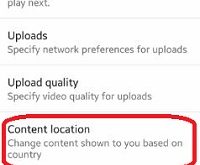
Here’s how to set or change the location of YouTube content on Android phones. You can create a new video, upload a high-quality video, banned/hide inappropriate content, and other useful YouTube settings. You can change the content shown to you based on your country location. Also, enable limit mobile data …

Read More »

How to Show Battery Percentage On Google Pixel 3a and Pixel 3a XL

How to display battery percentage in Pixel 3a and 3a XL

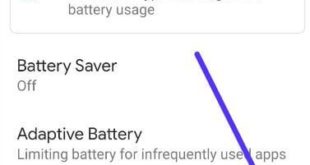
Here’s how to display battery percentage in Pixel 3a and 3a XL. You need to enable battery percentage to show battery percentage on Google Pixel 3a status bar. You can find this option under battery settings. Google Pixel 3a battery settings include battery saver, adaptive battery and battery percentage options. …

Read More »

Chrome sync errors android phone: How to fix

Chrome sync errors android

If in your android phone browsing data aren’t syncing properly then you can fix Chrome sync errors android device using this chrome settings. Sometime on your phone browser data such as history, bookmarks or when web surfing data is having problem to syncing in smartphone. But you don’t see the …

Read More »