Tag Archives: How to

How to turn off app notifications on android
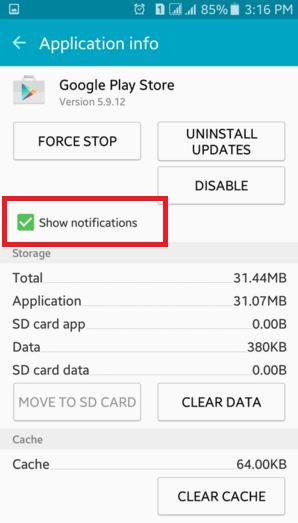
Here is the complete guide of how to turn off app notifications on Android devices. These all unnecessary app notification drains your mobile’s battery, slowly operate a phone and take more time to open the app. If you are tired from unnecessary application notifications on your android phones or android tablets …

Read More »

How to change plugin settings chrome

Do you have any idea about change plugin settings chrome? In Google chrome, you can see various settings including appearance, search and on startup settings. If you want to change plugin or flash player settings on chrome device, you have to use advanced settings. In advanced settings in chrome there …

Read More »

How to create events on gallery app android phone

Create events on gallery app android phone. By default on your android lollipop 5.1.1 and marshmallow 6.0 device, automatically create event of new gallery images and videos. This automatically creates events based on the faces, times and locations tagged for picture and videos. You can set your favorite photos and …

Read More »

How to setup SIM card lock android phone

Do you want to setup SIM card lock android phone? This SIM card lock settings protect your android device and safe from other user hands. You can setup or change SIM card lock using lock screen and security settings of your android lollipop 5.1.1 and marshmallow 6.0. To enable lock …

Read More »

How to Enable WiFi Calling on Pixel 2 XL and Pixel 2

How to Enable WiFi Calling on Pixel 2 XL and Pixel 2

Want to make calls over Wi-Fi on Google Pixel 2 XL? Here’s how to disable or enable WiFi calling on Pixel 2 XL. Not all carriers supported calls over Wi-Fi. First of all turn on this feature in your device settings and after that, you can make calls over Wi-Fi …

Read More »

How To Clear Cache on Samsung Galaxy Note 8

How to clear cache in Galaxy Note 8

Want to clear app cache & data on Galaxy Note 8? How to clear all Cache on Galaxy Note 8. If you found the app-related problem on your Samsung or Android phone, you need to clear the cache on Samsung Galaxy Note 8, Note 9, and other devices. This Samsung …

Read More »