Tag Archives: How to

How to enable download booster android phone
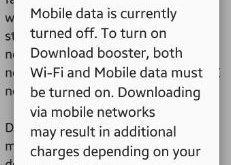
Enable download booster android phone. Using download booster on your device, you can download large files (Over 30 MB) faster by using Wi-Fi and LTE networks at the same time. Downloads started while connected to an LTE network will continue using a 3G network if the connection to the LTE …

Read More »

How to Fix Apps Keep Crashing Galaxy Note 10 Plus

How to fix apps keep crashing Samsung Note 10 plus

Annoying by Samsung Note 10+ freezes, stops responding or suddenly apps keep stoping? Here’s how to fix the Facebook app or Phone apps keep crashing on Samsung Note 10 plus after Android 10 update. You need to check for software updates or app updates, or force stop app to fix …

Read More »

How to Fix Galaxy Note 10 Plus Keeps Restarting

How to fix Galaxy Note 10 plus keeps restarting

If your Samsung Galaxy Note 10+ randomly reboots, restarts, or power off without restarting, here are the solutions to fix Galaxy Note 10 plus keeps restarting issues. You’ll try to check for android updates, app updates, firmware or any third party apps causing the issue. Also, check your device storage …

Read More »

How to Install Android Q Beta 6 on Pixel

How to install android Q Beta 6 on Pixel 2 XL

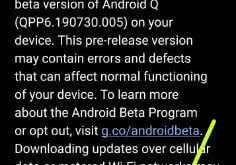
Google launches the final beta for Android Q Beta 6 for all Pixel devices. Here’s how to download and install android Q Beta 6 on Pixel 3 XL, Pixel 3, Pixel 2 XL, Google Pixel, and other devices. If you already installed Android Q Beta 5, you’ll get an OTA …

Read More »