By default enable developer mode in Android 10 devices. Want to hide developer options on android 10? Here’s how to turn off developer options on android 10. Developer mode uses different tools for development purposes only. Android 10 developer mode includes several settings such as OEM unlocking, memory used by …
Read More »How to manage profiles on Netflix Android
Want to enjoy HD movies, TV shows, comedies and more entertainment in Netflix app on your android device? You’ll set up Netflix account to enjoy all at one place in your android. To access movies & TV shows in android using Netflix, you’ll need to subscribe Netflix on android or …
Read More »How to Turn Off All Sounds on Samsung Galaxy Note 10 Plus and Note 10
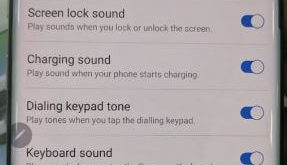
Want to mute all sound on Samsung Note 10 and Note 10+? This tutorial explains you steps to turn off all sounds on Galaxy Note 10 plus and Note 10 One UI. By default enable system sounds and system vibration in Note 10+. You can disable all sounds on Note …
Read More »How to Customize Notification Bar on Galaxy Note 10 Plus
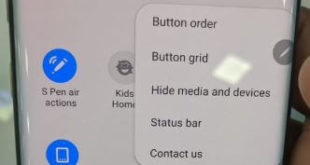
Here’s how to customize the notification bar in Samsung Galaxy Note 10 plus and Note 10. You can change the button grid size, button order, hide media & devices, and hide status bar icons on Samsung Note 10+ and Note 10. Also, change the color of the notification bar in …
Read More »How to Clear Cache OnePlus 9 Pro, 9, 9R, 8 Pro, 8, 7 Pro, 7T Pro, 7T, 7
Here’s how to clear cache on OnePlus 9 Pro, 9, 9R, 8 Pro, 8, 7 Pro, 7T Pro, 7T, 7. You can clear the app cache and data using app management settings on your OnePlus Oxygen OS. This clearing app cache will delete the temporary app’s data and free up …
Read More »How to Share Contacts on Galaxy Note 10 Plus
Want to transfer contacts from SIM to phone Samsung Note 10 plus & Note 10? Here’s how to share contacts on Galaxy Note 10 Plus. You can import contacts from .vcf files or SIM card and transfer with other Samsung galaxy. Also, share large files, up to 2 GB per …
Read More »