Tag Archives: How to

How To Activate or Enable Two-Step Verification in WhatsApp Android

enable two step verification whatsapp android

WhatsApp is adding new features of “WhatsApp two-step verification” that provide extra security to your WhatsApp account. Here’s how to activate or enable two-step verification WhatsApp android phone or tablet device. This WhatsApp 2 step verification requires 6-digit passcode when registering your mobile number with WhatsApp again. You can also …

Read More »

How to Reset Network Settings on Google Pixel 4 and Pixel 4 XL

How to reset network settings Pixel 4 XL and Pixel 4

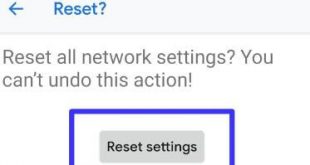
Here’s how to reset network settings Pixel 4 and Pixel 4 XL. You can fix not internet connection issues, Bluetooth pairing, not register on the network, WiFi issue, Cellular or Mobile network not available, and other network-related issues. Reset the network settings on your Pixel 4 XL using reset options. …

Read More »

How to Hard Reset Google Pixel 3 and Pixel 3 XL

How to hard reset Pixel 3

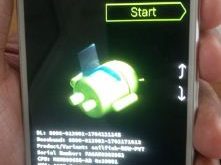
Here’s how to hard reset Google Pixel 3 and Pixel 3 XL. This Google Pixel 3 hard reset settings are useful when you’re facing problems such as black screen, phone won’t turn on, touchscreen not working, automatically restart device and more. To perform a hard reset on Google Pixel 3, you’re …

Read More »

Google Play Protect on Android 8.1 Oreo

Use Google Play Protect on android 8.1 Oreo

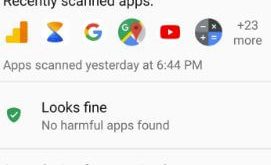
Here’s how to enable and use Google Play Protect on Android 8.1 Oreo. Google Play Protect is the new security feature to scan applications before download in your Android Oreo 8.1/8.0 and other devices. By default enable Google Play Protect in all devices. This feature keeps your Oreo device apps …

Read More »

How to enable touch sensitivity Galaxy S9 and Galaxy S9 Plus

How to enable touch sensitivity Galaxy S9 and Galaxy S9 Plus

This tutorial will explain about how to enable touch sensitivity Galaxy S9 and Galaxy S9 Plus Oreo devices. Samsung galaxy S9 and galaxy S9 has several awesome settings such as High Performance mode, touch sensitivity, block accidental touches, smart capture, smart stay and more. Have you been ever facing touch …

Read More »