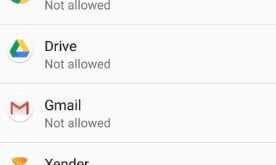
Here’s how to change default apps on the OnePlus 5T device. By default set home app, browser app, phone app, SMS app, music app, camera app, mail app, and other apps on your OnePlus 5T/OnePlus 5 device. You can select which apps you want to use as default apps on …
Read More »How to Allow Unknown Sources on OnePlus 7 Pro, 7, 6T, 6, 5T
Facing the issue of unable to install apps from unknown sources on OnePlus 5T? First of all, make sure to enable unknown sources on OnePlus 5T/OnePlus 5 devices. You can install a third-party app or apk files on your OnePlus 5T device after enabling it in your device. You’ll find …
Read More »How to change screen calibration on OnePlus 5T
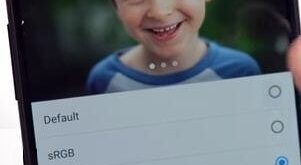
Recently launched OnePlus 5T with awesome features including screen swipe effect, wallpaper motion, Reading mode, change icon shape, Gaming Do not disturb mode, left home screen and more. In this tutorial, I will show you one of the important OnePlus 5T display settings called “Screen calibration”. You can change screen …
Read More »How to customize LG V30 home screen settings
Here’s the list of top best tips of LG V30 home screen settings and how to customize it. In LG V30 home screen settings, you can see several sections including General, Style, Layout and tips. You can change screen swipe effect, wallpaper motion, change theme and icon shape on LG …
Read More »How to Use Smart Lock on OnePlus 5T
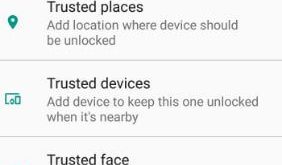
An intelligent lock is helpful to unlock your OnePlus 5T/5 device using different types of security options. In the OnePlus five smart lock settings, you can see a list of options such as trusted devices, trusted places, on-body detection, trusted face, and trusted voice. My favorite is trusted face. Let’s …
Read More »How to customize Alert slider on OnePlus 5T
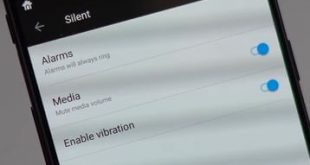
OnePlus 5T has several great features including Reading mode, Shot on OnePlus watermark, Gaming Do not disturb, Bluetooth Audio codec, on-screen buttons, OTG storage, Smart lock, incoming call vibration pattern and more. This Alert slider feature includes three options including Silent, Do not disturb (DND) and Ring. Let see how …
Read More »