Tag Archives: How to

How to enable show notification channel warnings on android 8.1
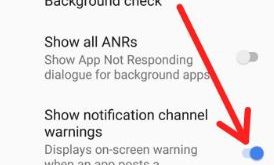
Enable show notification channel warnings on android 8.1
Notification channel feature is useful to manage notifications in your android Oreo 8.1. And also customize channel for notification type you want to display. You can create instant notification channel and change notification channel importance on android 8.1 Oreo. To enable show notification channel warnings on android 8.1, make sure …

Read More »

How to Change Android 8.1 Home Screen Settings

Android 8.1 Home screen settings

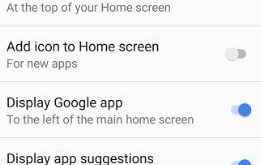
Here’s how to customize or change home screen settings in Android 8.1 Oreo. Android 8.1 Oreo home screen settings include notification dots, at a glance, add icon to home screen, display Google app, display app suggestion, allow home screen rotation, and change icon shape. Recently updated my Google Pixel to …

Read More »

How to Delete Apps on LG V30

How to delete unwanted apps on LG V30

Do you want to remove unwanted apps on the LG V30 device? By default installed many apps in your device. There are several apps you’ll never use in your LG V30 device. You can easily delete apps on the LG V30 device. This removes apps on LG V30 is free …

Read More »

How to enable Night mode on OnePlus 5T

Enable Night mode on OnePlus 5T

OnePlus 5T has a several awesome features, one of them we discuss here is Night Light mode. Here’s how to enable Night mode on OnePlus 5T. By default turn off Night mode in your OnePlus device. You can turn on night mode on OnePlus 5T using display settings in your …

Read More »

How to save Instagram post as draft on android phone

Save Instagram post as draft on android phone

Instagram is one of the most popular photo or video sharing social media apps. You can add several effects and make photo look stunning. Here’s how to save Instagram post as draft on android phone. After taken photo on Instagram, you can add effects, location and share photo or videos …

Read More »