Tag Archives: How to

How to Fix Google Pixel 2 Overheating Issues
How to fix Google Pixel 2 overheating issues

Annoying by Pixel 2 and Pixel 2 XL overheating issues? Several users reported Pixel 2 XL keeps overheating issues when playing games for a long time or while charging devices. Here’s a guide to fix Google Pixel 2 overheating issues. Also, recently updated AR Stickers in Pixel 2 and Pixel …

Read More »

How to Free Up Space on Android Oreo

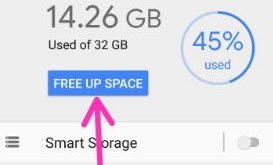
How to free up space on android Oreo 8.0

Android Oreo introduced a new smart storage feature for free up storage in your devices. Here’s how to free up space on Android Oreo 8.1/8.0 devices. Google Pixel and other devices not supported by MicroSD, they need more space to save images, videos, and more. This Android smart storage feature …

Read More »

How to Take a Long Screenshots in OnePlus 5/5T

How to take long screenshots on OnePlus 5 and OnePlus 5T

By default mostly devices use volume down and power button at the same time to take screenshots. But in this tutorial, I will show how to take long screenshots on OnePlus 5 and OnePlus 5T. In OnePlus devices, also use three fingers Gesture to take a screenshot in your OnePlus …

Read More »

How to change download location on chrome browser in Windows 7/8

Change download location on Chrome browser in Window 7

By default set download location or folder in Google Chrome and other browsers. If you want to change default download location on Windows 7/8/10, you can change download location on chrome browser in Windows 7/8/10 using advance settings. In Google chrome advanced settings, you can see several sections including privacy …

Read More »