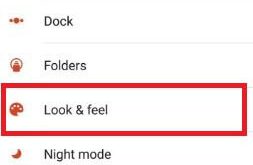
You will get Android Oreo adaptive icons on any Android phone using the beta version of Nova Launcher. This Nova launcher beta version is helpful to install Android adaptive icons on your Android devices. You can also choose non-adaptive icons. Also, change the adaptive icon shape on any Android phone. …
Read More »How to change home screen grid size android
Do you want to adjust or change home screen grid size android phone? When i update lollipop (5.1.1) to marshmallow (android 6.0), my device home screen add new option of “Screen grid”. Using this home screen grid option, you can set grid size as 4×4, 4×5 and 5×5 on your …
Read More »How to turn off pop up on Chrome browser
Here’s how to enable or disable pop-ups in Google chrome. By default, chrome browser automatically blocks pop-ups when open any website or page in your PC or laptop device. You can easily block pop-ups on Google Chrome using advanced settings. Let see process to turn off pop up on chrome …
Read More »How to Change the Lock Screen Shortcut on Galaxy Note 10 and Note 10 Plus
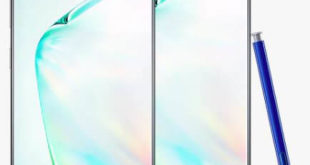
By default set lock screen app shortcuts on galaxy Note 10 plus and Note 10? Here’s how to change the shortcuts on lock screen Note 10 plus and Note 10. You can change left shortcut (Phone) and right shortcut (Camera) app from lock screen and layout using lock screen settings …
Read More »How to Change the Wallpaper On Galaxy Note 10 and Note 10 Plus
Do you want to change the wallpaper on Samsung Note 10 plus home screen and lock screen? This article useful to change home screen wallpaper in Samsung Note 10 plus and Note 10. Two ways to change the wallpaper on Samsung Note 10 lock screen and home screen, one is …
Read More »How to change lock screen app android
Do you want to set or change lock screen app android marshmallow (android 6.0) and lollipop 5.1.1 device? By default on your android phone lock screen left side phone app shortcut and right side camera app shortcut. In latest android device, you can change app shortcuts you want to use …
Read More »