Tag Archives: How to

How to Remove Google Pixel 2 Status Bar Icons
How to remove Google Pixel 2 status bar icons

Want to hide status bar icons on Pixel 2 and Pixel 2 XL? Here’s a complete guide to remove Google Pixel 2 status bar icons. You’ll add or hide status bar icons using system UI tuner settings on your Pixel devices. By default system UI tuner feature is hidden on …

Read More »

How To Unlock Samsung Galaxy S7 Edge without Password

How to reset phone lock in Galaxy S7 Edge

Forgotten password or PIN or Pattern lock on Samsung Galaxy S7 and S7 edge? Here’s a complete guide to reset phone lock or unlock Samsung Galaxy S7 Edge without Password. You’ll unlock S7 without losing data to use your Samsung Find my mobile, or Google account, or Android device manager. …

Read More »

How to Delete Google Plus Profile From Android Oreo 8.1

How to delete Google Plus profile from android Oreo

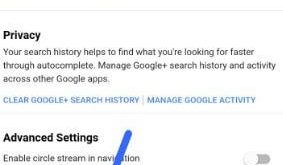
Want to remove Google Plus account from Android Oreo 8.1 and 9 Pie? Here’s a complete guide to delete Google Plus profile from Android Oreo, Nougat, and Marshmallow devices. Different android device has slightly different settings to remove Google+ from your Android device. After deleting your Google+ profile, your circle …

Read More »

How to Delete Google Services From Android Oreo 8.1

How to delete Google services from android Oreo

Want to delete Google play services permanently in your Android Oreo? Here’s a complete guide to remove Google services from Android Oreo 8.0 and 8.1 devices. You can remove individual Google services from your accounts such as Gmail, YouTube, Google+, and more. You’ll easily remove Google services using Google settings …

Read More »