Tag Archives: How to

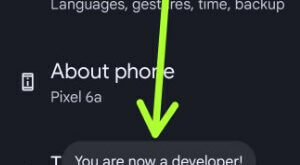
How to Turn On Developer Mode Android 13, 12, 11

How to Turn On Developer Mode Android 13, 12, 11

By default, you have a hidden developer option on your Android phones and tablets. You can see several helpful developer options settings such as USB debugging, OEM unlocking, running services, feature flags, logger buffer sizes, USB configuration, Windows animation scale, display cutout, background process limit, and more. Here’s how to …

Read More »

How to Change the Icon Shape in Android 10

How to Change Shape Icon on Android 10

Do you want to change the shape of app icons on the Latest Android devices? Here’s how to change icon shape in Android 10 (Android 11). By default icon shape set as the round icon. Choose the Android 10 icon shape from Square, Teardrop, Squircle, and Rounded Rectangle. Two ways …

Read More »

How to Use Smart Lock on Galaxy S10 Plus, S10, and S10e

How to use smart lock on Galaxy S10 Plus

Want to automatically unlock galaxy S10 plus using smart lock features? Here’s how to turn on and use a smart lock on Galaxy S10 plus, S10, and S10e devices. Samsung Galaxy S10 plus smart lock include on-body detection, trusted places, trusted devices, and voice match. You can keep your phone …

Read More »