Android

Discover the latest tips, tricks, and guides for maximizing your Android experience. Stay updated with the best hacks and useful tips for your Android device.

How to Change Android Notification Sound for Different Apps
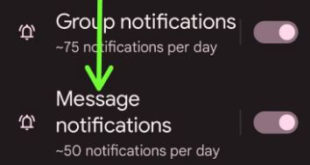
How to Change Notification Sounds for Different Apps on Android

Do you want to change Android notification sound for different apps? In this tutorial, we show you the steps to change notification sound for different apps on Android 12, Android 11, and Android 10. You can set different notification sounds for different apps like WhatsApp, Facebook, Instagram, Snapchat, etc. Also, …

Read More »

How to Put Clock on Home Screen Android 12

How to Put Clock on Home Screen Android 12

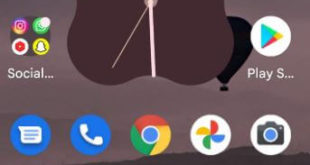
Do you want to get clock on home screen Android 12 stock OS (Pixels)? Here’s how to put clock on home screen Android 12 devices. You can add a clock widget to your home screen in stock Android 12. 5 clock widgets are available on your Android phone. Also, change …

Read More »

How to Launch Google Assistant on Android 12

How to Launch Google Assistant on Android 12

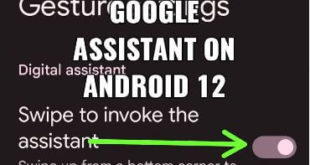
Do you want to launch Google Assistant by tapping back on Android phones? Here’s how to launch Google Assistant on Android 12 stock OS (Pixels). 5 different methods are available to activate Google assistant including saying “Hey Google” or “OK Google”, back tap gesture, using power button, long press home …

Read More »

How to Enable Full Screen Gestures on Android 14, 13, 12

How to Enable Full Screen Gestures on Android 14, 13, 12

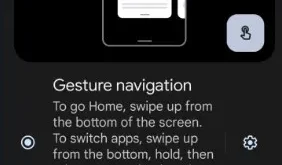
Here’s how to enable full-screen gestures on Android 14, Android 13, and Android 12 Stock OS. Set a full-screen gesture navigation (Hide 3-buttons navigation bar) on Android devices by default. Android 14 device separately adds a navigation mode menu. You can adjust the back sensitivity for the left edge and …

Read More »

How to Turn On Quick Tap on Android 13 and Android 12

How to Turn On Quick Tap on Android 13 and Android 12

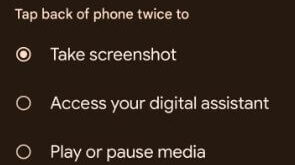
Here’s how to turn on quick tap on Android 13 and Android 12 stock OS. This Android double-tap gesture adds new functions to quickly access, including take a screenshot, launch a digital assistant, open recent apps, pay or pause media, show notifications, Toggle a flashlight on/off, and quickly accessing any …

Read More »