Do you want to use your Android screen one handed? Here’s how to enable one handed mode on Android 13, Android 12, and Android 11 stock OS. To use one-handed mode on Android 12, ensure gesture navigation is turned on your device. Swipe down from the bottom edge of the …
Read More »How to Enable Now Playing on Android 12
By default turned off now playing on your stock Android 12 (Pixels) devices. Here’s how to enable now playing on Android 12, Android 11, and Android 10 Stock OS. When activating now playing, it will automatically recognize music or songs playing nearby you. You can see now playing history on …
Read More »How to Use Privacy Dashboard in Android 12
Android 12 added a new privacy dashboard feature that shows which apps recently used permissions. Here’s how to use privacy dashboard in Android 12 stock OS (Pixels). You can see when a particular app gives permission on your Android phone. Anytime change app permission settings on your Android 12 devices …
Read More »How to Enable Google Assistant Using Power Button in Android 12
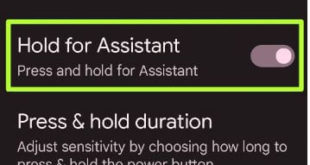
Do you want to activate Google Assistant without home button on your stock Android 12? Here’s how to enable Google Assistant using power button in Android 12 (Pixels). To quickly launch Google assistant, just say Ok Google/Hey Google or swipe from the left or right corner of your screen if …
Read More »How to Change Your Ringtone on Android Phone
Do you want to change the ringtone on Android phones and tablets? Here’s how to change your ringtone on Android 14, Android 13, and Android 12. You can set custom ringtone sounds on Android devices from the gallery, put a song as a ringtone, and other downloaded ringtones. Add custom …
Read More »How to Take a Screenshot Android 12: 4 Methods
Do you know the methods to take Android 12 screenshot? Here’s how to take a screenshot Android 12. You can use the power & volume down buttons, recent apps, and Google Assistant to screenshot Android 12. Google’s stock Android OS adds a new Android 12 scrolling screenshot feature to capture …
Read More »