Is a trusted face missing on Android 8.1 Oreo? Here’s how to fix Android 8 trusted face not working issue. A trusted face smart lock is useful to unlock your android device when the face is recognized. In the Android Oreo smart lock feature, you’ll see five options for unlocking …
Read More »How to View Running Processes and CPU Usage in Android 10, 9 (Pie), 8.1 (Oreo), and Earlier Version
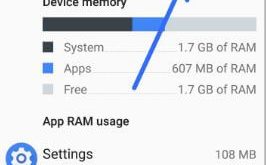
Want to check show cached processes and android 8 CPU usage? You’ll view running services and check CPU usage on android 8.0 & 8.1 Oreo using developer mode settings. To check CPU and RAM usage in android 8 Oreo, make sure to enable developer mode in your devices. In this …
Read More »How to Enable OEM Unlock On Android 10, 9 (Pie), 8.1 (Oreo)
Want to enable OEM unlocking on the latest android devices? Here’s a complete guide to fast boot OEM unlock and allow the bootloader to be unlocked in your android Oreo 8.1 & 8.0, Nougat 7.1.2, marshmallow 6.0 and latest android devices. To activate OEM, you need to unlock the bootloader in …
Read More »How to Fix Google Feed Not Working on Android
Annoying by Google discover not working 2020 when you swipe right on Android or Samsung Galaxy? Here’s how to fix Google feed not working on Android devices. When we swipe the right side, Google feed not display any text (Black screen) in my device. Make sure turn on Google feed …
Read More »How to clear app cache in Android 8
Here’s how to clear app cache in Android 8 Oreo. Clearing the cache will remove files temporary from your android device. If you’re device facing issue of app crashing or freezing or slow down your device, you need to clear app cache & data in your android Oreo 8.1 devices. …
Read More »How to Disable Apps Backup on Android 9 Pie
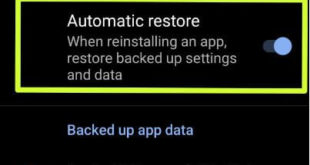
By default turn on auto backup or automatic restore data in Android 9 Pie or Oreo 8.1 devices. When you reinstalling an app, restore backed up settings and data in your android devices. You can see a list of backed-up app data. Also, auto-sync your apps with your Google account …
Read More »