how to

Discover helpful tips and step-by-step guides on various topics. Learn how to do things easily and efficiently with BestUsefulTips.

How to customize Action center Windows 10
How to customize action center Windows 10

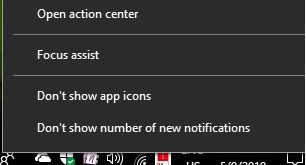
Want to change Windows 10 action center notifications Windows 10? Here’s how to customize action center Windows 10 PC or Laptop. You can access action center from taskbar and system settings. Also add or remove quick actions to rearrange features appear in action center in your Windows PC. By default …

Read More »

How to use tablet mode in Windows 10

How to use tablet mode in Windows 10

Want to use tablet mode in Windows 10 laptop? Here’s how to enable or disable tablet mode in Windows 10 PC. Tablet mode makes your Windows PC touch friendly when using your device as tablet mode. You can use your PC as a tablet. It will useful to open full …

Read More »

How to turn off app background in Windows 10

How to turn off app background in Windows 10

Wan to disable all background apps at once in Windows 10 PC or Laptop? By default several apps running in the background on Windows 10/8/7 even we don’t use it. You can individually stop apps from running in the background or close all background apps at once in your Windows …

Read More »

How to move Windows 10 apps to another drive

How to move Windows 10 apps to another drive

Want to move installed apps or programs to another drive or hard disk or SD card or other computer? Here’s how to move Windows 10 apps to another drive. You can move apps or games to another drive to free up particular Windows drive in your device. Most of all …

Read More »

How to uninstall apps on Windows 10

How to uninstall apps on Windows 10 PC

By default installed built in apps and program on your Windows computer or laptop. Several unnecessary programs installed even we don’t use. To free up space, you need to remove or uninstall apps on Windows 10 PC using apps settings. You can move, Modify or uninstall built in apps in …

Read More »

How to change keyboard layout in Windows 10

How to change keyboard layout in Windows 10

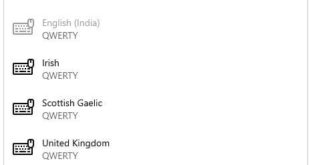
Want to change default keyboard input language in Windows 10? Here’s how to change keyboard layout in Windows 10 PC. You can add a keyboard you want in your Windows desktop such as US (QWERTY), United States (Dvorak), Dutch, Denish etc. Also change keyboard language shortcuts in Windows 10/8/7. We …

Read More »