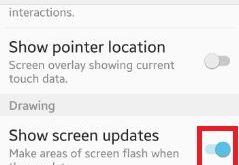
Enable show screen updates android lollipop (5.1.1) and marshmallow (android 6.0) device. You can make areas of screen flash when they update on your device. You can enable / disable show screen updates using drawing section under developer options on your smartphone. In drawing section, you can also see layout …
Read More »How to Enable or Disable Google Play Protect on Android Oreo 8.0
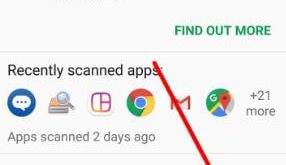
Did you know how Google Play Protect works? Here’s how to enable and use Google Play Protect on Android Oreo 8.0 and 8.1. Google Play Protect is the most useful feature to secure your android device from third-party apps you download from the play store. Before download, it will scan …
Read More »How to set default reminders android phone
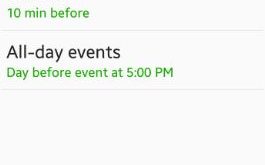
Have you ever set default reminders android phone? You can set reminders on your device using s planner settings on latest lollipop 5.1.1 and marshmallow 6.0 device. In default reminders, you can set events on time / 10 min / 20 min / 30 min / 1 hour before / …
Read More »How to Enable New Gesture Navigation in Android 10
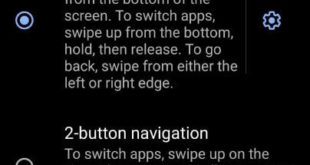
Here’s how to enable Android 10 full screen gesture. You can use full gestural navigation in Android 10 using gesture settings. Android 10 added three different navigation gestures including fully gesture navigation, 2-button navigation (back button & pill icon), and 3-button navigation (back, home, and overview (Recent apps)). This Android …
Read More »How to Show Battery Percentage on Android 10
Get back the battery percentage icon on android 10? Here’s how to enable battery percentage on Android 10. By default disable percentage of battery. You can find the battery percentage under battery settings. When displaying the percentage of battery on the status bar, it will help you to see the …
Read More »How to Change Icon Shape in Android Oreo 8.0 & 8.1
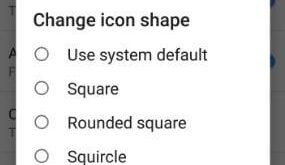
Here’s how to change icon shape in Android Oreo 8.0 devices. Android Oreo includes different icons like square, rounded square, squircle, and teardrop. By default set the icon shape in your Android devices. You can easily change the app icon using Android Oreo home screen settings. If you can’t find …
Read More »