Android

Discover the latest tips, tricks, and guides for maximizing your Android experience. Stay updated with the best hacks and useful tips for your Android device.

How to Change the Font And Display Size on Android 10
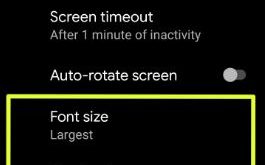
Change font style and display size on Android 10

Here’s how to change font style and display size on Android 10 devices. By default set font size, display size, and body font on Android 10. You can make text bigger or smaller using display settings to change icon size Android 10. Android 10 added new font styles called Noto …

Read More »

How to Use Gestures On Android 10

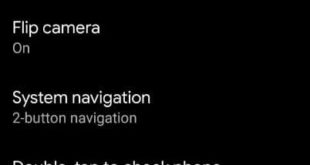
How to enable and use gestures in android 10

Here’s how to enable and use gestures in Android 10. Android 10 gestures include Active Edge, Swipe fingerprint for notifications, Jump to the camera, Flip camera, System navigation, Double-tap to check phone, Lift to check phone and Prevent ringing. Android 10 gesture navigation added new three settings for navigation including …

Read More »

Best Insurance Quote Apps For Android 2023

Best Insurance Quote Apps For Android ACKO

Here you can download the most popular Insurance quote apps for Android phones in 2023, including Life Insurance quotes, Health Insurance Quotes, Car Insurance Quotes, Auto Insurance Quotes, Home Insurance Quotes, Business Insurance Quotes, and other essential Insurance quotes. Using these insurance quotes apps for Android, and you can get …

Read More »

How to Control App Permission on Android 8.1 Oreo

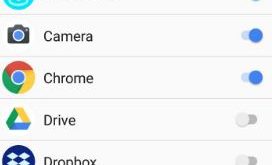
Control app permission on android 8.1 Oreo

Do you want to allow app permissions on Android 8.1? Two ways to change or control app permission on Android 8.1 Oreo. While installing new apps in our devices, first of all, you need to give permission to access the app in your device. By default enable or disable app …

Read More »

How to Enable Gestures on Android 8.1 Oreo

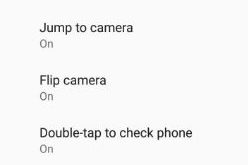
How to use gestures on android 8.1 Oreo

Here’s how to enable and use gestures on Android 8.1 Oreo. Android 8.1 includes 5 move gestures, including Swipe fingerprint for notifications, Jump to the camera, Flip camera, Double-tap to check the phone and lift to check the phone. You can easily find gestures under system settings. One of my …

Read More »