Here’s how to auto rotate screen on Pixel 6 Pro and Pixel 6. By default, Google rotate my screen to tap on the rotate icon when opening any apps or phone settings. If you want to auto rotate all apps in Android stock (Pixels) devices, enable screen rotation. If you …
Read More »How to Use Split Screen in Pixel 6 Pro and Pixel 6
Here’s how to use split screen in Pixel 6 Pro and Pixel 6. You can access two apps at the same time in your Google Pixel 6 Pro using this split screen multitask feature. When you activate split screen Pixel, you’ll enjoy YouTube videos or movies and chat on social …
Read More »How to Clear Cache Data for Apps in Pixel 6 Pro and Pixel 6
Here’s how to clear cached data for apps in Pixel 6 and Pixel 6 Pro. You can individually clear app cache and data on your Google Pixel 6 and other Pixel devices. You can’t clear cache for all apps at once on your Pixels devices. When you clear the app …
Read More »How to Fix Pixel 6 Pro Won’t Connect to WiFi
Annoying by WiFi constantly turning off in Google Pixel 6 and Pixel 6 Pro? Here’s how to fix Pixel 6 Pro won’t connect to WiFi network. Several users comment on the Reddit forum about WiFi issues (WiFi toggle turns itself off) on Pixel 6 Pro/Pixel 6. First of all, restart …
Read More »How to Turn On WiFi Calling in Google Pixel 6 Pro and Pixel 6
Here’s how to turn on WiFi calling in Google Pixel 6 Pro and Pixel 6. When Wi-Fi calling is on, your phone can use Wi-Fi or cellular networks to make calls on your Pixels that depending on your preferences and which signal is stronger. By default turned off WiFi calling …
Read More »How to Enable Safe Mode on Pixel 6 Pro, Pixel 6, Pixel 6a 5G
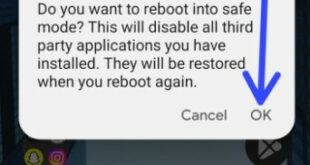
Do you want to put Google Pixel 6 Pro in safe mode? Here’s how to boot into safe mode on Pixel 6, Pixel 6 Pro, and Pixel 6a 5G. Safe mode is helpful to check if any downloaded app is causing the problem in your Pixel device like Pixel 6 …
Read More »