Annoying by Bluetooth connecting issues in OnePlus 6T Oxygen OS? Different types of Bluetooth connectivity problems occur such as Bluetooth can’t pair, Bluetooth keeps disconnecting, Bluetooth Audio or Headphone issue, or Bluetooth accessory isn’t connecting. Also facing a problem of can’t make or get calls or can’t hear music. Check …
Read More »How to customize OnePlus 6T home screen layout
Here’s how to customize OnePlus 6T home screen layout. You can change home screen settings in OnePlus 6T such as enable/disable shelf, change icon pack, add app icon to home screen, notification dots, swipe down to access quick settings from home screen and more. But in this tutorial, I’ll show …
Read More »How to Change Home Screen Wallpaper on OnePlus 6T
Here’s how to change the home screen and lock screen wallpaper in OnePlus 6T Pie. You can easily change the home screen wallpaper on OnePlus 6T using home screen settings or display settings. Different types of wallpaper available on your device such as motion wallpaper, nature, landscape, texture, and also …
Read More »How to Fix WiFi Issue on OnePlus 6T, 6, 5T, 5
Annoying by OnePlus 6T Wi-Fi connected but not internet issues? Most of all new devices facing Wi-Fi connectivity issues such as Wi-Fi connection problems, Wi-Fi authentication issues, Wi-Fi keeps disconnecting, WiFi dropping, and more. Have you been ever facing this type of WiFi issues on your OnePlus devices? If yes, …
Read More »How to Change Screen Calibration in OnePlus 6T
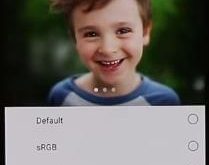
Want to change the screen color in OnePlus 6T? By default set screen color in your OnePlus 6T device. You can change screen calibration in OnePlus 6T using display settings. Screen calibration feature is useful to view screen in different colors from the given list such as sRGB, DCI-P3, Adaptive …
Read More »How to Customize Navigation Bar on OnePlus 6T
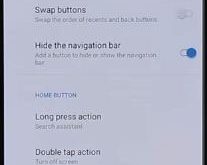
Here’s how to customize the navigation bar on OnePlus 6T Oxygen OS. By default set full gesture navigation like stock Android OS. You can see the pill icon and back button on the bottom of the screen instead of home, back, and recent buttons. If you don’t want to use …
Read More »