Want to change the navigation bar to navigation gestures on your OnePlus 6T/6? Here’s how to enable or disable navigation gestures in OnePlus 6T. If you have the latest updated OnePlus devices, you can see the full-screen gesture on your device. You can change the navigation bar button and choose …
Read More »How to Lock Apps Using Fingerprint in OnePlus 6T
Want to secure important apps data on OnePlus 6T? Here’s how to lock apps using a fingerprint scanner on OnePlus 6T. You can use the OnePlus app locker feature to lock apps and hide notification contents of the app you add on the app locker. After adding the app to …
Read More »How to Turn On/Off the Ambient Display in OnePlus 6T
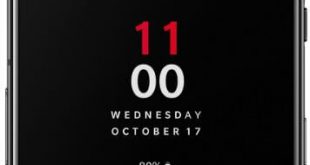
Ambient display feature is useful to show information on lock screens such as time, temperature, battery percentage, and message notifications with icons. You can easily turn on/off the Ambient display in OnePlus 6T using display settings. Also, customize ambient display in the OnePlus 6T Oxygen OS such as change clock …
Read More »How to Set Up OnePlus 6T Face Unlock
How to set up face unlock on OnePlus 6T. You can use face unlock in OnePlus 6T to quickly unlock your phone when your face recognized. Fingerprint or Face unlock security is less secure compare to Password or PIN or Pattern number. OnePlus 6 face unlock is super fast comparing …
Read More »How to Change Home Screen Settings in OnePlus 6T
Want to customize OnePlus 6T home screen settings? Here’s how to change home screen in OnePlus 6T Pie devices. In OnePlus 6T home screen settings, you can see add a new app icon to the home screen, Shelf, drawer, change icon pack, home screen layout, and more. You can personalize …
Read More »How to Change Dark/Light Theme on OnePlus 6T
By default set light theme on OnePlus 6T devices. You can easily change the light theme to the dark theme on OnePlus 6T using customization settings. To save battery life and easily view the screen, set a dark mode in your OnePlus 6T. When turning on dark mode in OnePlus …
Read More »