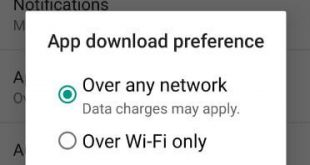
Recently updated my Google Play store apps and I can see newly added settings called “App downloaded preference”. By default set download app settings over any network on your Android device. In this setting data charges may apply. If you want to change this app download setting, here’s the complete …
Read More »How to Restrict App Background Data in Pixel 3 and Pixel 3 XL
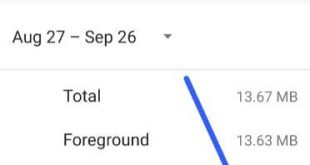
Annoying by Apps using a lot of background data on Pixel 3 XL and Pixel 3? Here’s how to restrict background data in Pixel 3 and Pixel 3 XL. Several apps running in the background even we don’t use them. You’ll check mobile data usage and Wi-Fi data usage on …
Read More »How to Change the Display Color Mode on Pixel 3, 3 XL, 3a, 3a XL
Want to change color mode on Pixel 3 and Pixel 3 XL? Here’s how to change the display color mode on Google Pixel 3 XL, Pixel 3, Pixel 3a and Pixel 3a XL. By default Pixel 3 XL color mode set as automatic. You can set color mode from Boosted/Natural/Saturated. …
Read More »How to enable smart reply in Android messages
Here’s how to enable smart reply in android messages. This smart reply feature is useful to automatically show text suggestion when available in your android messages. You can find smart reply under message settings in your android Pie 9.0, android 8.1 Oreo and other devices. To show you suggestion, Smart …
Read More »How to Use Overview Selection in Android 9 Pie
By default turned on app actions and overview selection in your Android Pie 9.0 devices. Here’s how to use overview selection in Android 9 Pie. This feature is useful to select text from any screen/recent apps and copy & paste it to your device. Several users facing overview selection not …
Read More »How to Block a Number In Android 9
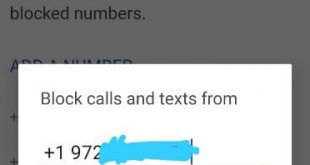
Want to block unknown numbers from texting and incoming calls on Android 9 Pie? Here’s how to block a private number on android 9 Pie devices. In the latest Android 10 devices, you need to toggle on the “unknown” under the phone app settings to block calls from unidentified callers. …
Read More »