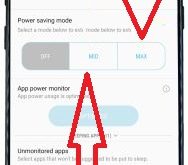
By default turn off power saver mode on Samsung galaxy S8 and galaxy S8 plus phone. Power saving mode is use to limiting CPU performance, reduce the screen brightness or screen timeout and improve battery life on Samsung galaxy S8 and galaxy S8 plus device. In android devices, you can …
Read More »How to Change Keyboard Settings on Samsung Galaxy S8 and S8 Plus
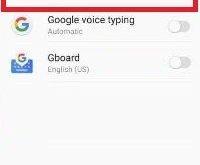
Change the keyboard to Qwerty on Galaxy S8 and S8 Plus? Here’s how to set or change keyboard settings on Galaxy S8 and galaxy S8 plus phone. You can change the default keyboard on Samsung Galaxy S8 and Galaxy S8 plus phone. In this galaxy S8 device, by default set …
Read More »Fix Google Play Store error 481: How to
While downloading or updating apps from Google play store and seen error 481 code. This type of error message see: “App” could not be downloaded due to an error. (481) or can’t download apps from play store in your android devices. It’s simple to to fix Google Play Store error …
Read More »Fix Samsung galaxy S8 running slow: How to
Are you irritate of Samsung galaxy S8 and galaxy S8 plus running slow? There are various reason to slow your galaxy S8 and galaxy S8 plus devices such as unnecessary background apps, running more then one apps, app crashes or app freezing, Internal storage full, live wallpaper and other issues. …
Read More »How to Fix WhatsApp Web Not Working on Chrome
What is WhatsApp Web? You can access your WhatsApp from your PC or laptop device using the WhatsApp web. Scan the QR code of your Android device to Desktop to use WhatsApp web on PC. WhatsApp adds valuable features like Send GIF in WhatsApp, WhatsApp two-step verification, group video calls …
Read More »How to wipe cache partition on Galaxy S8
Annoying from Samsung galaxy S8 and galaxy S8 plus freezing or app crashes issues? You can try restarting your device or factory data reset galaxy S8 but sometimes not solved this problem. Using this wipe cache partition on galaxy S8 and galaxy S8 plus, all your device issues solved and …
Read More »