Do you want to bypass the lock screen on Samsung without losing data? Here’s how to unlock Samsung Galaxy S10 Plus without a Password or PIN if you have forgotten. Pattern or PIN security helps secure essential data from other users or spammers. Factory reset or hard reset your Samsung …
Read More »How to change date and time on Windows 10
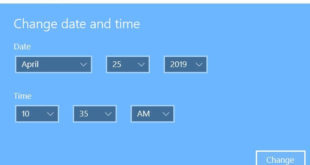
Here’s how to change date and time on Windows 10 PC or Laptop devices. There are two ways to change Windows 10 date and time on desktop or laptop such as HP, Dell, Lenovo etc. You can set time automatically on Windows 10 and adjust time zone in your device. …
Read More »How to Turn On or Turn Off Separate App Sound on Galaxy S10 and S10 Plus
Want to use separate app sound on Samsung Galaxy S10 Plus? Here’s how to turn on separate app sound on Galaxy S10 plus, S10 and S10e. When enabling separate app sound, it will play media sound from one app on a different audio device. Using this Samsung separate app sound …
Read More »How to Enable/Disable Adaptive Brightness Galaxy S10 and S10 Plus
Annoying by adaptive brightness issues on galaxy S10 and S10 Plus? You need to disable or turn off adaptive brightness Galaxy S10, S10 Plus, and S10e devices. When turning on adaptive brightness, your device automatically adjusts brightness in similar lighting conditions. Several users reported Samsung galaxy S10 auto brightness not …
Read More »How to Change Vibration Pattern For Notification on Galaxy S10 Plus and S10
Want to change the vibration pattern for notifications and text on Galaxy S10 plus and S10 One UI 2.0 & One UI 1.1? Here’s how to change notification vibration settings on Samsung Galaxy S10 Plus. You can set or change notification vibration patterns or vibration intensity in galaxy S10 plus …
Read More »How to Change Autofill on Samsung Galaxy S20 Plus/Galaxy S20/Galaxy S20/Galaxy S10 Plus/Galaxy S10/Galaxy S10e
Here’s how to set or change Autofill on Samsung Galaxy S20 Plus/Galaxy S20/Galaxy S20/Galaxy S10 Plus/Galaxy S10/Galaxy S10e. By default, set Autofill with Samsung pass on your Samsung Galaxy. You can change the Autofill service on Samsung Galaxy using General management settings. You can use fingerprint, Iris, or face unlock …
Read More »