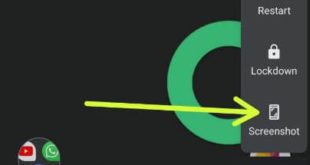
Here’s how to take a screenshot on Pixel 4 XL and Pixel 4. Different tricks are available for capture screenshot on Pixel 4 XL. You can easily capture screen and directly share with others without open that saved screenshot. Open the content you want to take a screenshot and hold …
Read More »How to Enable And Turn Off Always on Display Pixel 3 and Pixel 3 XL
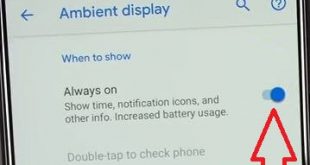
Here’s how to turn on or turn off always-on display Google Pixel 3 and 3 XL. When turning on Pixel 3 Always-on display, it will show notifications, time, weather and other information on your Pixel 3 lock screen. You can turn off clock on lock screen Pixel 3 to turn …
Read More »How to Use Gestures in Pixel 4 and Pixel 4 XL
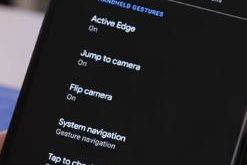
Here’s how to enable and use gestures in Pixel 4 and Pixel 4 XL devices. Google Pixel 4 and Pixel 4 XL added a new Motion Sense feature that use Air gestures to skip the next songs or previous song and snooze alarms & silence calls without touch your phone. …
Read More »How to Enable Gmail Dark Theme (Dark Mode) on Android, PC
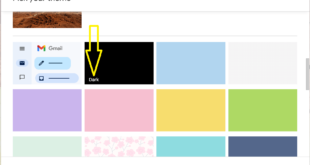
Do you want to change the Gmail theme to dark or light? Here’s how to enable Gmail dark theme or dark mode on Android and desktop devices. You can use Gmail theme settings or your phone’s dark theme settings to turn on Gmail dark mode. When you enable Gmail dark …
Read More »How to block someone on Snapchat android device
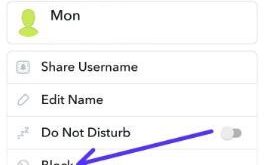
Want to block or unblock someone on Snapchat android phone? Here’s the how to block someone on Snapchat android device. There are several reasons for block someone on Snapchat such as annoying you, harassing you, accidentally added and more. After blocked someone or unknown user, when unblocking it, that contact …
Read More »How to use multi window on Samsung galaxy S8
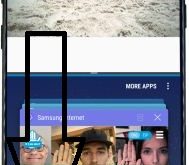
It’s quite easy to use multi window on Samsung Galaxy S8, Galaxy S8 plus phone. Have you ever use two apps at once on your Samsung galaxy devices? Using this multi-window mode, you can access two apps at the same time in your galaxy S8 and galaxy S8 plus devices. …
Read More »