Android

Discover the latest tips, tricks, and guides for maximizing your Android experience. Stay updated with the best hacks and useful tips for your Android device.

How to Change Wallpaper in Android 9 Lock Screen
How to change wallpaper in android P 9.0

Here’s how to set or change wallpaper in android Pie 9.0 home screen and lock screen. By default set wallpaper in your android Pie devices. Already Android P stock wallpapers are available for any android devices. But in this tutorial, I’ll teach your how to manually change the Android 9 …

Read More »

How to Enable Dark Mode in Android 10

How to change theme in android P 9.0

By default, the device theme is set automatically based on the wallpaper on your Android 10. If you want to set the Android dark mode or dark theme, set black wallpaper and a light theme to put a white background. You can manually enable dark mode in Android 10 devices …

Read More »

How To Enable Dark Mode on Android 9 (Pie)

How to turn on dark mode in android P 9.0

This tutorial explains manually enabling dark mode on Android 9 (Pie). You can find device theme settings in display settings on your Android 9.0 devices. By default, set the theme automatically based on the wallpaper you select. If you set black wallpaper, the Android theme is dark; if you put …

Read More »

How to Install Android P Beta 3 on Google Pixel

How to install Android P Beta 3 on Google Pixel XL

Recently my Google Pixel device gets Android P Beta 3 (Android P developer preview 4) updates. Android P Beta 3 now available for Google Pixel, Pixel XL, Pixel 2, Pixel 2 XL, and other devices. Let see how to download and install Android P Beta 3 on Google Pixel, Pixel …

Read More »

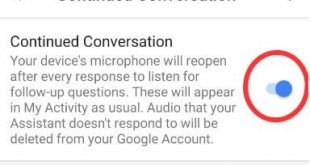
How to Turn On Continued Conversation For Google Assistant Android

How to enable continue conversations for Google assistant in android

Google assistant added a new useful feature called Continued Conversation. Let see how to enable or turn on continued conversation for Google Assistant Android. When we conversion with Google assistant, every time saying OK Google for attention. But this new Google assistant Continue Conversations feature is helpful to say Ok …

Read More »