Tag Archives: How to

How to change video size on Galaxy S9 plus and Galaxy S9

How to change video size on galaxy S9 plus and galaxy S9

Samsung galaxy S9 and galaxy S9 plus devices has awesome super slow motion video, 4K video recording at 30 fps or 60 fps, Hyperlapse video support, face detection and other video settings. In this tutorial, I’ll show you steps to change video size on galaxy S9 plus and galaxy S9 …

Read More »

How to enable Gestures on galaxy S9 and galaxy S9 plus

How to enable Gestures on galaxy S9 and galaxy S9 plus

Gestures are useful for easily quickly manage your Samsung galaxy devices functions such as take screen shot, make a call, quickly see notifications, camera, mute incoming calls and more. You can enable Gestures on galaxy S9 and galaxy S9 plus Oreo using advanced features settings. In Galaxy S9 and galaxy …

Read More »

How to change inbox type in Gmail for android phone

How to change inbox type in Gmail for android phone

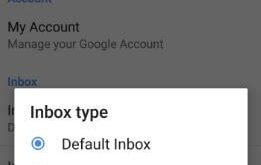
Here’s the complete guide to change inbox type in Gmail for android phone. By default Inbox type set as default inbox. In latest Gmail app update, you can change Gmail inbox type from Default Inbox/Priority Inbox options. In Gmail inbox categories, you can get all daily mails such as primary, …

Read More »

How to take screenshot on Galaxy S9 and Galaxy S9 plus

How to take screenshot on galaxy S9 and galaxy S9 plus

Want to take screenshot on galaxy S9 and galaxy S9 plus Oreo? Let see three simple ways to capture screenshot on galaxy S9 plus and galaxy S9 devices. Most of all Samsung galaxy and other android devices, you can take a screenshot to pressing volume down and power button. This …

Read More »