Tag Archives: How to

How to fix face unlock not working OnePlus 6

How to fix face unlock not working OnePlus 6

Are you trouble to unlock OnePlus 6 using face unlock? Currently not any users reported face unlock feature not working. But in this tutorial, I’ll show you some possible solutions to fix face unlock not working OnePlus 6 Oxygen OS. You can try this methods if you’ll facing this problem …
Read More »

How to Fix Low Call Volume on OnePlus 6T, 6

How to fix low call volume on OnePlus 6 Oxygen OS

Annoying by call volume too low issue on OnePlus 6 during phone calls? There are various reasons for the low call volume such as poor network signal or slow volume on phone or speaker volume toot low or earpiece problem. Several users facing this issue only while using the speaker …

Read More »

How to Reduce Mobile Data Usage on YouTube Android

How to limit mobile data usage on YouTube android phone

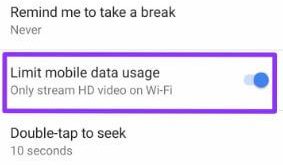
Here’s how to limit mobile data usage on YouTube Android devices. We can easily view mobile and Wi-fi data usage of apps in Android devices. By default enable usage of mobile data in the background for all apps. You can individually check YouTube data usage using network and internet settings …

Read More »

How to Adjust Media Volume on Android 9 Pie

How to adjust ringtone volume in android P 9.0

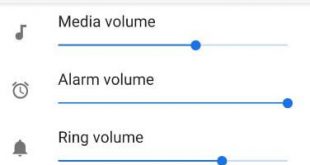
Here’s how to set or adjust media volume in Android 9 Pie devices. When you press the volume up or down button, it will affect only media volume in your device. You can increase media volume, ring volume, and alarm volume using sound settings. This new volume settings include media …

Read More »

How to Use Smart Lock in OnePlus 6

How to use Smart lock in OnePlus 6 Oxygen OS

Here’s how to enable or disable smart lock in OnePlus 6 Oxygen OS. You can find a smart lock option under lock screen & security settings in your device. In OnePlus 6 smart lock feature, you can see On-body detection, trusted places, trusted devices and trusted voice options. Lock screen …

Read More »