Here’s how to turn off Samsung Galaxy Z Flip 5 and Z Flip 4 5G. You can power off or turn off Samsung Z Flip 5 using the side (Power Key) & volume down buttons, side key, or Bixby voice assistant. When you power off your Samsung phone, it will …
Read More »How to Change the Colour Palette in Samsung Z Fold 6, Z Fold 5, Z Fold 4
Here’s how to change the colour palette in Samsung Z Fold 6, Z Fold 5 and Z Fold 4. Changing the colour palette on a Samsung phone will change the look of your notification panel icons, the colour of the toggle button, and other settings. You can see different wallpaper …
Read More »How to Change App Icon on Samsung Z Fold 5, Z Fold 4, Z Fold 3
Do you want to change the icons on Z Fold 3, Z Fold 4, and Z Fold 5? Here’s how to change app icon on Samsung Z Fold 5, Z Fold 4, and Z Fold 3 5G. You can download your favorite icon pack from the Samsung store on your …
Read More »How to Change Theme on Samsung Z Fold 5 and Z Fold 4
Do you want to change the device theme on your Samsung Galaxy Z Fold 5 and Galaxy Z Fold 4? In this tutorial, I’ll teach you how to change theme on Samsung Z Fold 5 and Z Fold 4 5G. You can download themes from the Samsung store or play …
Read More »How to Turn Off Samsung Galaxy Z Fold 5 and Z Fold 4
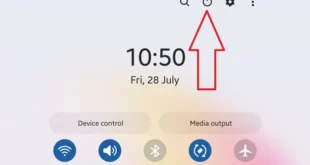
In this tutorial, I’ll teach you three ways to turn off Samsung Galaxy Z Fold 5 and Z Fold 4 5G. All Samsung phones follow the same methods to turn on & off Samsung Z Fold devices, including the power button in the quick settings panel, power & volume buttons, …
Read More »How to Change Wallpaper on Samsung Z Fold 5 and Z Fold 4
Do you want to set a custom wallpaper on your Samsung Galaxy Z Fold devices? In this tutorial, I’ll teach you how to change wallpaper on Samsung Z Fold 5 and Z Fold 4. Set home and lock screen wallpaper on your Galaxy Z Fold devices by default. You can …
Read More »