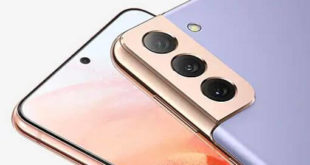
Here’s how to boot into recovery mode (Menu) in Samsung Galaxy S21 Ultra (5G), S21 Plus, and S21 devices. You can wipe data or factory reset through recovery mode in your Samsung S21, S21+, and S21 Ultra. This Android system recovery menu includes several options like reboot system now, reboot …
Read More »How to Start S21 Ultra in Safe Mode
Do you want to boot into safe mode Samsung Galaxy S21, S21 Plus, and S21 Ultra? Here’s how to start S21 Ultra in safe mode. Turning on safe mode on your device will disable all third-party apps. So you can check if any downloaded app is causing the issue, like …
Read More »How to Add Fingerprint to Samsung Galaxy Note 20 Ultra, Note 20
Do you want to add multiple fingerprints to the Samsung Note 20 Ultra? Here’s how to add fingerprint to Samsung Galaxy Note 20 Ultra, Note 20, and other devices. Using biometrics and security settings, you can set up a fingerprint scanner in the Samsung Note 20 Ultra. You can show …
Read More »How to Share Samsung WiFi QR Code to Pixel, OnePlus, iPhone
Do you want to scan QR code WiFi on your Samsung Galaxy, OnePlus, Google Pixel, iPhone, and other smartphones? Here’s how to share Samsung WiFi QR code with other Android devices to scan a QR code, nearby share, quick share, and save the QR code as an image. You can …
Read More »How to Change Clock on Galaxy Note 20 Ultra Lock Screen
Do you want to change the clock style on Galaxy Note 20 Ultra? Here’s how to set or change the lock screen clock style and always on display clock style on Samsung Galaxy Note 20 Ultra using lock screen settings. You can change the clock type and color on the …
Read More »How to Change the Clock Style on Galaxy S20 Ultra, S20 Plus, S20
Here’s how to change the clock style on Galaxy S20 Ultra, S20 Plus, and S20. You can change the colour of the clock and type on the AOD and lock screen. Easily customize the lock screen clock on Samsung Galaxy devices using lock screen settings. You can change the AOD …
Read More »