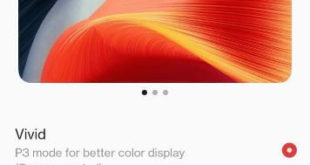
Do you want to change the color of your OnePlus 9 Pro display? Here’s how to change screen color mode on OnePlus 9 Pro, OnePlus 9, OnePlus 9RT, OnePlus 10 Pro, and OnePlus 10. By default set Vivid for better color display in your OnePlus series. Other OnePlus screen color …
Read More »How to Enable Caller ID and Spam Protection on OnePlus 9 Pro
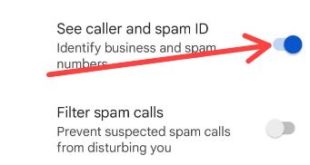
Do you want to turn on caller ID for incoming calls on your OnePlus? Here’s how to enable caller ID and spam protection on OnePlus 9 Pro, OnePlus 9, OnePlus 9RT, OnePlus 10 Pro, and OnePlus 10. When you activate caller and spam ID, it will recognize business and spam …
Read More »How to Enable Call Forwarding in OnePlus 9 Pro, 9, 9RT
Here’s how to enable call forwarding in OnePlus 9 Pro, 9, and 9RT. When you activate call forwarding on your OnePlus device, it automatically forward calls to another number. You can set call forwarding using a phone app in OnePlus 9 Pro and other OnePlus series. Four different settings are …
Read More »How to Show Battery Percentage in OnePlus 9 Pro
By default hide battery percentage in your OnePlus devices. Here’s how to show battery percentage in OnePlus 9 Pro, OnePlus 9, OnePlus 9RT, and the latest OnePlus 10 Pro. When you enable battery percentage on OnePlus, you can see the remaining battery percentage in the status bar besides the battery …
Read More »How to Record Screen on OnePlus 9 Pro
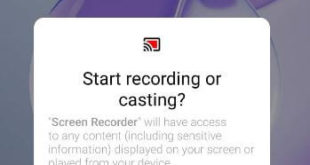
Do you want to record screen on OnePlus 9 Pro? Here’s how to record your screen on OnePlus 9 Pro, OnePlus 10 Pro, OnePlus 9, and OnePlus 9RT. You can quickly access the screen recorder to swipe down the notification panel at the top. Also, change OnePlus screen recorder settings …
Read More »How to Change the Clock Style on Samsung Galaxy S21 FE 5G
Do you want to change clock style in Samsung S21 FE 5G? Here’s how to change the clock style on Samsung Galaxy S21 FE 5G. You can change lock screen and always-on display clock style on Samsung One UI 4.0 devices. Choose clock style from default clock or image clock …
Read More »