Annoying by Bluetooth not working on OnePlus 6 Oxygen OS? In Bluetooth problem, you can see can’t pair with car or Bluetooth accessory isn’t connecting to your OnePlus 6 or latest Oxygen OS devices. We play music on a car or make phone calls via Bluetooth pair. Let see how …
Read More »How to Customize Shelf in OnePlus 6 Oxygen OS
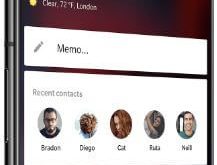
Let see how to customize Shelf in OnePlus 6 Oxygen OS. By default enabled Shelf in your OnePlus 6 Oxygen OS. Swipe the screen left to right to access the shelf in your device. OnePlus 6 Shelf feature is used to seeing weather info, widgets, cards, recent apps, and other …
Read More »How to Enable Quick Pay in OnePlus 6
Here’s how to enable quick pay in OnePlus 6 Oxygen OS. You can use quick pay on OnePlus 6 to pay your bill online via Paytm account or UPI (India) or any QR code. By default turn off quick pay on your device. First of all, enable it and long-press …
Read More »How to Change the Default Apps in OnePlus 6
By default set apps on your OnePlus 6 Oxygen OS. You can change default apps in the OnePlus 6 using apps settings. In OnePlus 6 default apps settings, set home app (launcher), phone app, browser app, SMS app, camera app, music app, calendar app, and more. To set an app …
Read More »How to take a screenshot on OnePlus 6
There are several ways to take a screenshot on OnePlus 6 Oxygen OS. OnePlus 6 device added new “three finger screenshot gesture” for capture screenshot in your device. Also take a long screenshot on OnePlus 6 to scrolling the page in your phone. This OnePlus 6 scrolling screenshot feature is …
Read More »How to Hide Status Bar Icons in OnePlus 6
By default view several icons on the status bar in your OnePlus 6 device such as Wi-Fi, battery style, date & time, and more. You can customize the status bar on OnePlus 6 using display settings. There are various app icons on the status bar that not used such as …
Read More »