By default set apps as full screen mode or default mode. OnePlus 6 device has a Notch, so some apps aren’t fully screen supported. You can change apps mode using display settings in your OnePlus 6. Let see how to set app display in full screen mode OnePlus 6 Oxygen …
Read More »How to Hide Notification Content in OnePlus 7 Pro, 7, 7T Pro, 7T, 6T, 6 Pro, 6
Do you want to hide sensitive notification content on the lock screen in OnePlus? When you receive any message on your device, you can see notification content pop-up on your OnePlus lock screen. Sometimes it’s annoying several users due to the large number of messages received. Here’s how to show …
Read More »How to Scheduled Power On And Off in OnePlus 7 Pro, 7T, 6T, 6
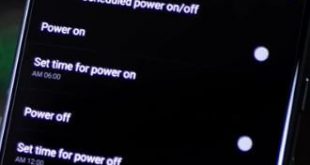
Here’s how to scheduled power on or off in OnePlus 6. You can set schedule your phone to restart to power on or power off in your OnePlus 6. Just set particular time you want to set power on and power off your device. After set schedule time, your OnePlus …
Read More »How to Use Smart Lock in OnePlus 6
Here’s how to enable or disable smart lock in OnePlus 6 Oxygen OS. You can find a smart lock option under lock screen & security settings in your device. In OnePlus 6 smart lock feature, you can see On-body detection, trusted places, trusted devices and trusted voice options. Lock screen …
Read More »How to Use Pro Mode on OnePlus 6T/OnePlus 6
Here’s how to enable and use pro mode on OnePlus 6/OnePlus 6T Oxygen OS. In OnePlus 6 Pro mode settings, you can individually set the focal point and Exposure point while you take shots. You can also save photos in a RAW format you want to set in your device. …
Read More »How to Customize Quick Gestures in OnePlus 6 Oxygen OS
Here’s how to customize and use quick gestures on OnePlus 6 Oxygen OS. You can see system gestures and screen-off gestures in your OnePlus 7 Pro, 7T Pro, 7T, 7, and OnePlus 6. One of my favorites is “Three finger screenshot gestures” to capture a screenshot in OnePlus 6. OnePlus …
Read More »