Do you want to create a new folder in Google Pixel 6 series? Here’s how to create folders on Google Pixel 6 Pro/Pixel 6/Pixel 6a 5G. You can create app folders on the home screen only in your Google Pixels to drag and drop one app to another app. One …
Read More »How to Add Widgets to Home Screen in Google Pixel 6 Pro/Pixel 6/Pixel 6a
Do you want to get a widget on your Google Pixel home screen? You can add or remove home screen widgets from your Pixel devices. Here’s how to add widgets to home screen in Google Pixel 6 Pro/Pixel 6/Pixel 6a 5G. Different widgets, including calendar, chrome, clock (My Favorite), docs, …
Read More »How to Use One Handed Mode on Samsung Galaxy Z Fold 4/Galaxy Z Fold 3/Galaxy Z Fold 2
Do you know how to use one handed mode on Samsung Galaxy Z Fold 4/Galaxy Z Fold 3/Galaxy Z Fold 2 5G? Here’s how to use Samsung Galaxy Z Fold one-handed gestures. Enable one-handed mode will reduce the display size to easily control your Samsung Fold with one hand. You …
Read More »How to Clear Call History in Google Pixel 6 Pro/Pixel 6/Pixel 6a
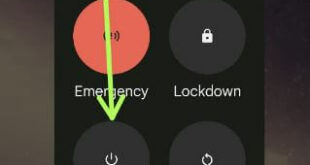
Do you want to delete call history on Google Pixels? Here’s how to clear call history in Google Pixel 6 Pro/Pixel 6/Pixel 6a 5G (Android 12). This history of Google phone calls includes missed calls, received calls, and unknown numbers (Private numbers). You can delete a number one by one …
Read More »How to Turn Off Pixel 6, Pixel 6 Pro, and Pixel 6a
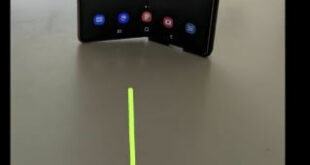
Here’s how to turn off Pixel 6, Pixel 6 Pro, and Pixel 6a 5G. 5 different methods are available to power off Pixel 6, Pixel 6 Pro, and Pixel 6a. You can power off or restart Pixel 6 series devices using the power menu. Press the power button once to …
Read More »How to Use a Magic Eraser on Pixel 7 Pro, 7, 7a, 6 Pro, 6, 6a, 5, 5a 5G
Do you have a Google Pixel smartphone? Here, I can teach you how to use a magic eraser on Pixel 7 Pro, Pixel 7, Pixel 7a, Pixel 6, Pixel 6 Pro, Pixel 6a, Pixel 5, and Pixel 5a 5G. The Pixel eraser feature helps remove unwanted objects (Things, People) or …
Read More »