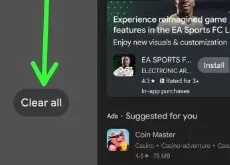
Do you want to close all running apps on your Google Pixel 8 series? In this tutorial, I’ll show you how to stop apps from running in the background Pixel 8 and Pixel 8 Pro. Background running apps slow down your phone’s performance and reduce battery life on your Google …
Read More »How to Hard Reset Pixel 8 and Pixel 8 Pro
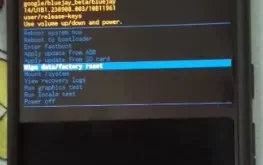
Here’s how to hard reset Pixel 8 and Pixel 8 Pro using hardware buttons. You need to enter your Pixel into recovery mode to hard reset it. This process deletes all data from your device, including your Google account, third-party apps, system app & settings, etc. Ensure to back up …
Read More »How to Turn On Quick Tap on Pixel 8 and Pixel 8 Pro
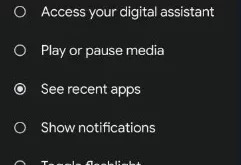
Do you use quick tap gestures on your Google Pixel devices? In this tutorial, I’ll show you how to turn on Quick Tap on Pixel 8 and Pixel 8 Pro. You can use a quick tap on your Google Pixel phone to turn on the flashlight, take a screenshot, open …
Read More »How to Factory Reset Your Pixel 8 and Pixel 8 Pro
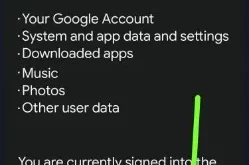
Do you want to reset Google Pixel without losing data? You must back up and restore data before resetting your Google Pixel 8 series. When you factory reset your Pixel 8 and Pixel 8 Pro, it will remove all the data, including your Google account, downloaded apps, photos, system & …
Read More »How to Change the Lock Screen Clock in Pixel 8 and Pixel 8 Pro
Do you want to change the Google Pixel 8 Pro lock screen clock style? In this tutorial, I’ll teach you how to change the lock screen clock in Pixel 8 and Pixel 8 Pro. Google Pixel devices running the Android 14 version include several clock styles for the lock screen. …
Read More »How to Change Wallpaper on Google Pixel 8 and Pixel 8 Pro
Here’s how to change wallpaper on Google Pixel 8 and Pixel 8 Pro. You can change your lock screen & home screen wallpaper in the Pixel 8 series. Choose one from your Google photo app or default wallpaper categories (Nature Swept, Live Universe, Google Arts & Culture, Curated Culture, Life, …
Read More »