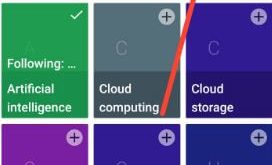
This tutorial explains you personalize Google Feed on Android devices. You’ll add your interest topics to Google Feed on Android devices. Google feed is useful to see the latest information about your interesting topics on the main page in your android devices. In Google feed, you can customize topics you …
Read More »How to enable show notification channel warnings on android 8.1
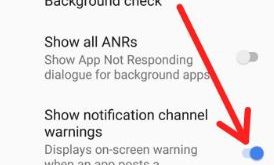
Notification channel feature is useful to manage notifications in your android Oreo 8.1. And also customize channel for notification type you want to display. You can create instant notification channel and change notification channel importance on android 8.1 Oreo. To enable show notification channel warnings on android 8.1, make sure …
Read More »How to Change Android 8.1 Home Screen Settings
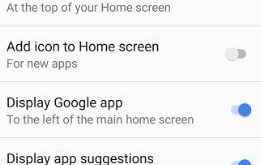
Here’s how to customize or change home screen settings in Android 8.1 Oreo. Android 8.1 Oreo home screen settings include notification dots, at a glance, add icon to home screen, display Google app, display app suggestion, allow home screen rotation, and change icon shape. Recently updated my Google Pixel to …
Read More »How to Fix Google Assistant Language Not Changing Android Phones
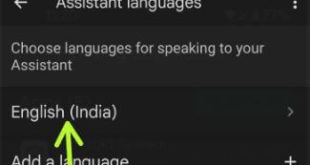
Annoying by can’t change the language on Google Assistant on Android device? While surfing the web, we have found some possible solutions to fix the Google Assistant language not changing Android phones. You can try to clear the cache & data of the Google app and check to fix the …
Read More »How to Reset App Preferences on Android Oreo 8.1
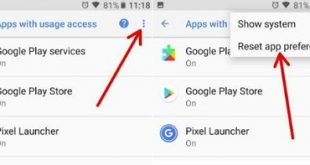
This tutorial explains you steps to reset app preferences on Android Oreo 8.0 and 8.1. It will reset default apps settings in your Android devices. This will reset all preferences for background data restrictions for apps, disabled app notifications, disable apps, and restriction on any app permission. If your Oreo …
Read More »How to Enable Google Lens on Android
Google Lens feature first introduced in the Google I/O event 2017. Let see how to enable Google Lens on Android phones. Google Lens is helpful to find relevant information about your device camera view. You can use Google Lens both Google apps and Google Assistant. Just open any screenshot or …
Read More »