Android

Discover the latest tips, tricks, and guides for maximizing your Android experience. Stay updated with the best hacks and useful tips for your Android device.

How to Set or Change Default Apps in Android 8.0
change default apps in android Oreo 8.0

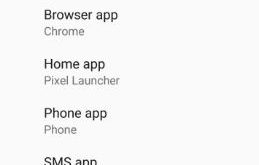
By default set apps in Android 8 Oreo and other devices. In Android 8.0 OS, system settings totally change compare to previous Nougat 7.1.2 version. Here I will show you step by step process to change default apps in android Oreo 8.0. You can change the SMS app, Phone app, …

Read More »

Best Android 8.0 Tips and Tricks

Best android 8.0 Oreo tips and tricks

Google announced the latest android version Android 8.0 Oreo with its awesome features. Let see 10 handy Android 8.0 Oreo tips and tricks. This Android 8.0 features including Background process limit, Install unknown apps, Picture in picture mode, Android Instant apps, Adaptive icons, Autofill framework, Notification dots, Smart text selection, …

Read More »

Fix Battery Draining Issue on Android 8.1 Oreo

Fix battery drain issue on android 8.0 Oreo

Annoying of Android Oreo battery life problems? Here’s the solution to fix battery drain issue on Android 8.1 Oreo devices such as Pixel, Pixel XL, Nexus 6P, Nexus 5X, and other supported devices. There are several reasons to reduce battery life in your Android Oreo devices including App usage data, …

Read More »

How to Use Google Allo on Android

How to set up and use Google Allo on Google Pixel

Let see how to set up and use Google Allo on Android or Pixel devices. Google Allo is a smart messaging app that will help you in expressing yourself using doodles, Emojis, animated GIFs, and stickers. Also, use Google Allo Assistant whenever you need it without leaving the chat. Another …

Read More »

How to use notification channel android O

Android O has several great features such as picture-in-picture mode, multi-display support, background limits, notification channels, Adaptive icons and more. In this tutorial, I will show you how to to use notification channel android O. In this notification channel feature, you can set app’s notifications by category wise. Different apps …

Read More »

How to customize lock screen shortcut android O

How to customize lock screen shortcut android O

Change or customize lock screen shortcut android O. By default set camera icon on right side corner and Google Assistant on left side icon in your Google pixel & pixel XL devices. You can change lock screen shortcut using System UI tuner menu in your android O devices. This system UI …

Read More »