Want to enjoy YouTube videos and chat with friends at the same time on your Google Pixel 3 and Pixel 3 XL? Here’s how to enable and use Split screen on Pixel 3 and Pixel 3 XL. This Pixel 3 Split screen is useful to use two apps at the …
Read More »How to Set Up Night Light On Pixel 3a and Pixel 3a XL
Want to automatically change your screen color at night on Pixel 3a XL & Pixel 3a? Here’s how to set up Night light in Pixel 3a Pie. To make it easier to look at your Google Pixel device in dim light, enable night light in Pixel 3a. Your screen will …
Read More »How to Install Android Q Beta 5 on Pixel
Here’s how to download and install Android Q Beta 5 on Pixel, Pixel XL, Pixel 2, Pixel 2 XL, Pixel 3 & 3 XL, Pixel 3a & 3a XL, and more. Before 2 days Google has stopped the Android Q Beta 5 rollout because of the issue with installing updates. …
Read More »How to Add Apps to Home Screen in Pixel 3 and Pixel 3 XL
Want to add or remove the apps from Pixel 3 home screen? Here’s how to add or move apps in Pixel 3 XL home screen. You can easily add app shortcuts to the home screen and create a folder on Pixel 3 XL home screen to easily access your favorite …
Read More »How to Wipe Cache Partition in Google Pixel 3 and 3 XL
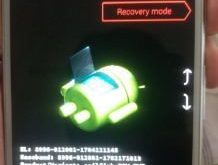
Here’s how to wipe cache partition Google Pixel 3 and Pixel 3 XL. You need to clear cache partition or wipe cache data when you’re device won’t turn on. You can find a Wipe data/factory reset option under the android recover mode setting. To clear system cache on Pixel 3 …
Read More »Android Q Beta 4 features
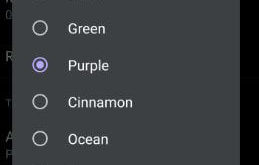
Google launched Android Q Beta 4 features for Pixel and other supported devices. This Android Q Beta 4 includes Adaptive notifications, Google play card in Power menu, use notifications Bubbles, back gesture icon, Notification swipe from both sides, Face authentication, new accent colors, dynamic system update and more. Google already …
Read More »