Annoying by Wi-Fi connection problems on Pixel 3 XL and Pixel 3? Here’s how to fix the Pixel 3 XL and Pixel 3 WiFi issue. There are different types of Wi-Fi problems that occur in devices, as Wi-Fi connected but not working, can’t surfing the web, Wi-Fi authentication and more. …
Read More »How to Turn Off Hotspot Automatically on Android Pie 9.0
We use the WiFi hotspot feature to sharing the internet with other devices through your mobile data connection. Apps can also create a hotspot to share content with nearby devices. In the latest Android 9.0 Pie, you can see the feature of “turn off hotspot automatically”. So if no devices …
Read More »How to Turn on Developer Options in Google Pixel 3 and Pixel 3 XL
Are you enable developer mode Pixel 3 XL and Pixel 3? By default hidden developer mode settings in your Google Pixel 3 XL and other devices. You can turn on or turn off developer mode under system settings in your Pixel 3 XL and Pixel 3 devices. There are several …
Read More »How to Take a Screenshot on Pixel 3 and Pixel 3 XL
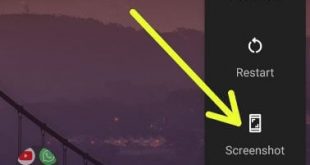
Want to capture a screenshot on Google Pixel 3 and Pixel 3 XL? Here are the different available methods to take a screenshot on Pixel 3 and Pixel 3 XL. In Android P Beta or Android P developer preview, you can quickly capture a screenshot using the power menu screenshot …
Read More »How to Factory Reset Pixel 3 and Pixel 3 XL
Here’s how to factory reset Pixel 3 and Pixel 3 XL device. To remove data from your Google Pixel device, resetting it to factory settings. This resetting process will erase all your data from your device. This reset phone is also called a hard reset Pixel 3 and Pixel 3 …
Read More »How to Enable USB Debugging On Pixel 3 and Pixel 3 XL
USB debugging is one of the useful settings under developer options on Google Pixel 3 and Pixel 3 XL. You can turn on and use USB debugging settings to copy data between your Pixel device and the computer or Laptop. To enable USB debugging in Pixel 3 and Pixel 3 …
Read More »