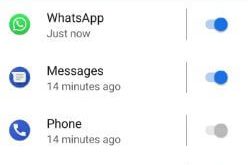
Here’s how to turn on and use ambient display in Android Pie 9.0. When enabling Ambient display, it will wake up the screen whenever you receive new notifications in your devices. You can see double-tap to check phone and lift to check phone option to quickly show notifications on the …
Read More »How to Manage Notifications on Android Pie 9.0
How to manage Android Pie notifications from the home screen in your Google Pixel, Pixel 2 XL, and other supported devices. You can easily manage notifications from the home screen on your Android 9 Pie. Also, control notification for when you receive it in your devices. When you receive notifications …
Read More »How to Use Adaptive Brightness in Android 9.0 Pie
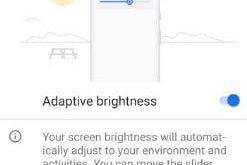
Let see how to enable and use adaptive brightness in Android 9.0 Pie. Android Pie adaptive brightness feature is useful to optimize the brightness level for available light and condition. When enabling adaptive brightness, your device screen brightness will automatically adjust to your environment and activities. You can move the …
Read More »How to Rotate the Screen on Pixel 2 XL, 2, Pixel XL
Here’s how to enable screen rotation on Google Pixel 2 and Pixel 2 XL. You can automatically rotate the screen and home screen rotation in your Pixel devices using this tutorial. You can see a screen rotation button on the navigation bar in your device. Also, enable auto-rotate screen in …
Read More »How to Install Android P Beta on Google Pixel and Other Devices
Google has released the first public Beta for the next Android P 9.0 OS at Google I/O 2018. Android P Beta is now available for Google Pixel, Google Pixel XL, Pixel 2, Pixel 2 XL, and other non-pixel devices such as Nokia 7 plus, Oppo R15 Pro, Vivo X21UD, Sony …
Read More »How to Change Keyboard on Android 8.1 and 8.0 Oreo
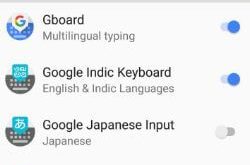
By default set keyboard and phone language on Android Oreo 8.0 and 8.1 devices. You can change keyboard Oreo 8.1 using language and input settings. You can see Gboard, Google Indic keyboard, Google voice typing, and other language keyboards. To change the Google keyboard, you need to manage keyboards in …
Read More »