how to

Discover helpful tips and step-by-step guides on various topics. Learn how to do things easily and efficiently with BestUsefulTips.

How to Enable Do Not Disturb on Samsung Galaxy Note 9

How to enable Do not disturb on Galaxy Note 9

By default turned off Do not disturb in your Samsung Galaxy Note 9. You can enable and use Do not disturb on Galaxy Note 9 under sounds & vibration settings. It will useful to mute all calls and sounds, except for your custom exceptions. Also, set schedule to turn on …

Read More »

How to Use Samsung Secure Folder on Galaxy Note 9

How to use Galaxy Note 9 secure folder

Here’s how to enable and use Galaxy Note 9 secure folder. You can use Samsung secure folder to lock apps, add apps, add files, and edit apps. To use Samsung secure folder, open a secure folder app in your device. Easily move files to secure folders such as photos, videos, …

Read More »

How to Customize Home Screen Galaxy Note 9

How to customize Galaxy Note 9 home screen settings

Want to change home screen settings on galaxy Note 9? Here’s how to customize Galaxy Note 9 home screen settings. Using home screen settings, you can change home screen layout, home screen grid, app screen grid, apps button, app icon badges, add the app icon to the home screen, quick …

Read More »

How to Use Galaxy Note 9 Camera Modes and Camera Settings

Best Galaxy Note 9 camera settings

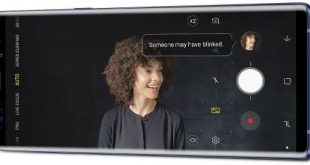
Here’s the list of camera modes and other best Galaxy Note 9 camera settings. Galaxy Note 9 camera has dual aperture mode (f/2.4 & f/1.5), HDR for low light, Dual-lens camera, live focus, scene optimizer supported 20 different modes, flew detection that warns about bad or blurry photos, super slow-motion, AR …

Read More »