how to

Discover helpful tips and step-by-step guides on various topics. Learn how to do things easily and efficiently with BestUsefulTips.

How to Enable Dual Messenger on Galaxy Note 9
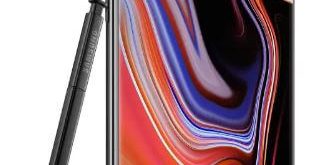
How to enable dual messenger on Galaxy Note 9

Here’s how to enable and use dual messenger on galaxy Note 9. You can set up and use dual apps on Samsung Note 9 to use two separate accounts of the same app. Use the dual account for WhatsApp and Facebook apps. Not all apps support this dual messenger features. …

Read More »

How to Enable or Disable Edge Panel on Galaxy Note 9

How to enable Edge panels on Galaxy Note 9

By default disabled edge panel on Samsung Galaxy Note 9. You can enable Edge panels on Galaxy note 9 using edge screen under display settings. When turning on edge panel on your note 9, you’ll access your favorite apps and functions on the edged screen. You’ll enable edge lightning on …

Read More »

How to Use Blue Light Filter on Galaxy Note 9

How to turn on blue light filter on Galaxy Note 9

By default turned off the blue light filter on Samsung Galaxy Note 9. You can turn on a blue light filter (Night Mode) on Galaxy Note 9 under display settings. Use the blue light filter at night to look at your screen easily or read in dim light and sleep …

Read More »