Want to allow installation of unknown sources apps on your Samsung Galaxy Note 9? Here’s how to enable unknown sources on Galaxy Note 9. To install third-party apps on your Galaxy Note 9, make sure to enable install unknown apps in your device. When you install an unknown source apk …
Read More »How to Change Screensaver on Galaxy Note 9
Here’s how to change the screensaver on Galaxy Note 9. By default set screen saver on your Samsung Galaxy Note 9. You can see screensaver on Note 9 after turn off the screen while your phone charging. Enable/disable screen saver on Samsung Note 9 using display settings. Also, choose colors …
Read More »How to Display Name and Number on the Lock Screen on Galaxy Note 9
Want to add contact information on Galaxy Note 9 always-on display and lock screen? Here’s how to change the lock screen name on Samsung Galaxy Note 9. You can display your phone number, name, or email address on the lock screen and always-on display. To put your name or mobile …
Read More »How to Enable Android Messages Dark Mode
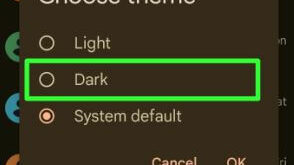
Do you want to turn on messages dark mode on your Android devices? In this tutorial, I’ll show you the steps to enable Android messages dark mode. Using message app settings, you can use a system-wide theme or manually turn on dark mode on your messages app. Different devices have …
Read More »How to Check Time Spent on YouTube Android
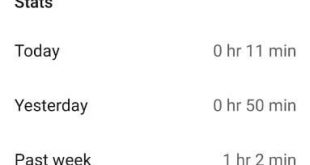
Want to know how much time do you spend on YouTube? Now YouTube added new features that useful to shows how much time you spend watching videos today, yesterday, or last week in your Android or iPhone devices. This YouTube time watched features for Android or iOS is working the …
Read More »How to Enable and Use Finger Sensor Gestures on Galaxy Note 9
Here’s how to enable finger sensor gesture on Samsung Galaxy Note 9. Using this finger sensor gesture, you can quickly open or close the notification panel to swipe up or down the fingerprint sensor in your Note 9. Also, useful to open Samsung pay on Galaxy Note 9 using the …
Read More »