Do you want to access hidden developer settings in Pixel 7 Pro? In this article, I’ll explain how to enable developer options in Pixel 7 and Pixel 7 Pro. By default, the developer mode is hidden in your device. You can activate developer mode to tap on the build number …
Read More »How to Create a Folder on Google Pixel 3, 3 XL, 3a, 3a XL
Want to add folders to the home screen on Google Pixel 3 and Pixel 3 XL? Here’s how to create a folder on Google Pixel 3, Pixel 3 XL, Pixel 3a, and Pixel 3a XL. You can make folders on the Google Pixel 3 home screen only. But can’t make …
Read More »How to Fix Pixel 3 and Pixel 3 XL Black Screen Issues
Here’s how to fix Pixel 3 and Pixel 3 XL black screen issues. Several Google Pixel users reported unresponsive touch screen issues or screen not responding. If your Pixel device won’t turn on, factory resetting or wiping data using recovery mode are the solutions to fix this black screen of …
Read More »How to Create Folders on Google Pixel 9 Pro, 9 Pro XL, 9 Pro Fold
Do you want to make a folder on your Google Pixel 9 series? In this article, i’ll explain how to create folders on Google Pixel 9 Pro, 9 Pro XL, 9 Pro Fold, and other Pixel devices. You can organize apps to move multiple apps to folder for easily access …
Read More »How to Fix Google Pixel Call Waiting Not Working: Pixel 7 Pro, 7, 6 Pro, 6
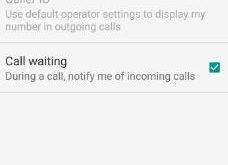
Are you facing the issue of Google Pixel call waiting not working after the system Update? While receiving an incoming call, do not disturb icon appears on the Google Pixel. Make sure to turn on the call waiting on your Google Pixel 7 Pro, Pixel 7, Pixel 7a, Pixel 6 …
Read More »How to Turn On Safe Mode on Google Pixel 9 Pro, 9 Pro XL, 9 Pro, 9
Do you want to enter your Pixel 9 into safe mode? Here’s how to turn on safe mode on Google Pixel 9 Pro, Pixel 9 Pro XL, and other Pixel devices running Android 15 or 16. You can boot your Pixel into safe mode using the power button. Google Pixel …
Read More »