By default set battery icon in status bar in OnePlus 6 Oxygen OS and other devices. You can add or remove battery style icons and also customize status bar on OnePlus 6 using customization settings. Let see how to change battery icon in OnePlus 6 Status bar. In OnePlus 6 …
Read More »How to change screen color in OnePlus 6
Here’s how to change screen color in OnePlus 6 Oxygen OS. Screen calibration feature is helpful to change display color in your OnePlus 6 Oreo 8.1 device. You can change screen calibration on OnePlus 6 using display settings. This OnePlus 6 Screen calibration setting is helpful to set color saturation …
Read More »How to Change Font Size And Display Size in OnePlus 7 Pro, 7T, 7, 6T
By default set font size, font style and display size in OnePlus 6 and other android devices. Here’s how to change font size and display size in OnePlus 6 Oxygen OS. This change font size will make the text on the screen smaller or medium or larger in your OnePlus …
Read More »How to use Alert slider in OnePlus 6
Alert slider feature is helpful to quickly change your phone ring to silent to vibrate without open settings. You can access Alert slider from your OnePlus 6’s top right side button. This OnePlus 6 alert slider feature reduces distractions to quickly mute notification sound or vibrate phone. Let see how …
Read More »How to Add Emergency Contacts to OnePlus 6/6T Lock Screen
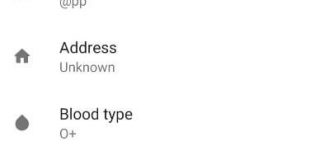
Here’s how to set emergency numbers to OnePlus 6T/6 lock screen. You can add emergency information on OnePlus 6 lock screen such as contacts, name, address, Blood type, medical notes, and other emergency information. This emergency info setting is used while your OnePlus 6T/6 lost (Compatible with OnePlus 8T, 8, …
Read More »How to Create App Folder in OnePlus 7T, 7 Pro, 6T, 6, 5
Organize apps on OnePlus 6T/6? Here’s how to group apps in OnePlus 6 devices. You can create folders in OnePlus 6 home screen and add apps to the folder to make a group of a particular category. So you can easily access all apps from one folder. OnePlus 6 has …
Read More »