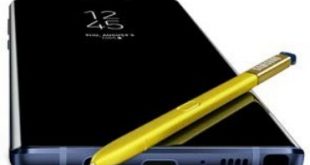
Here’s how to enable or disable dual audio Bluetooth on Galaxy Note 9. This Samsung Galaxy Note 9 Bluetooth dual audio feature is useful to use two Bluetooth devices at the same time on your phone. You can play sound from your phone to 2 different Bluetooth connected devices. By …
Read More »How to Make a GIF on Samsung Galaxy Note 9
Do you want to make a GIF on Samsung Note 9 using S Pen? Here’s how to create a GIF on Galaxy Note 9 using the camera app in your device. You can easily make animated GIFs using the camera on Samsung Note 9. Just hold the camera button to …
Read More »How to Enable Quick Launch Camera on Galaxy Note 9
Here’s how to enable quick launch camera on Galaxy Note 9. When turning on quick launch camera note 9, open the camera by quickly pressing the power key twice in your device. This is one of the easiest methods to access Note 9 camera quickly using the power button. Samsung …
Read More »How to Reset Network Settings on Galaxy Note 9
Here’s how to reset network settings on Samsung Galaxy Note 9. It will reset all network settings to their defaults including Mobile data, WiFi connection, Bluetooth, APN settings, and other network settings on your devices. This Note 9 network setting reset will useful to fix Wi-Fi or Bluetooth connectivity issues …
Read More »How to Fix Galaxy Note 9 Battery Draining So Fast
Do you want to extend battery life on Samsung Galaxy Note 9? Let see some possible ways to improve battery life on Galaxy Note 9. Galaxy Note 9 has 4000mAh huge battery, so not big issues related to battery life. But there are several reasons that consume more battery in …
Read More »How to Enable and Customize Edge Panels on Galaxy Note 9
Here’s how to customize Edge panels on Galaxy Note 9. You can find Note 9 Edge panels under display settings on your phone. You’ll quickly access Edge panels to drag the Edge panel handle from your device home screen. It will useful to instantly access the apps you use the …
Read More »