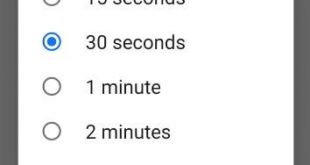
By default set screen timeout time Pixel 3 and Pixel 3 XL. You can change the screen timeout period on Google Pixel 3 under display settings. To extend battery life Pixel 3, set minimum lock screen timeout period. You can set lock screen timeout 15 seconds/30 seconds to save battery …
Read More »How to Add a Lock Screen Message on Pixel 3, 3 XL, 3a, 3a XL
Want to set a lock screen message on Pixel 3 and Pixel 3 XL? You can add a lock screen message in Google Pixel 3 XL and Pixel 3 using lock screen preferences settings on your phone. When setting a lock screen message, you can see the name on the …
Read More »How to Fix Double Notch Problem on Google Pixel 3 XL
Recently some of the Google Pixel 3 XL users causing the issue on the second notch appear on side of the screen when the rotating screen. Google speaking to Android Police, and said they’re working on a fix. If you’re facing this Google Pixel 3 XL double notch problem, try …
Read More »How to Download Google Pixel 3 Camera port for Pixel 2 and Pixel
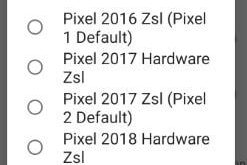
Thanks to XDA Senior member cstark 27 to release the new update port of Google camera. Let see how to download Google Pixel 3 camera port for Pixel 2 and Pixel. This Google Camera mode added Portrait mode, Photobooth, motion-tracking autofocus and real-time Google Lens on your older Google Pixel, …
Read More »How to Enable Fingerprint Swipe Gesture on Pixel 3 and Pixel 3 XL
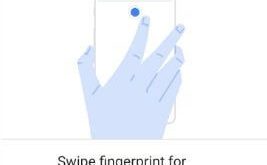
Here’s how to enable and use fingerprint swipe gesture on Google Pixel 3 and 3 XL. When turning on fingerprint swipe gesture on Pixel 3 XL and Pixel 3, just swipe down on the fingerprint sensor on the back of your phone and you can see notifications you receive. Pixel …
Read More »How to turn on dark theme in phone app Android
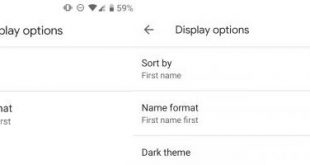
Google added new dark theme or dark mode in android messages, YouTube and Google Map. Now you’ll turn on dark theme in phone app android devices. You can find this dark theme option under display settings in Phone app. By default disable this option. When enable dark mode on phone …
Read More »