Last Updated on July 17, 2025 by Bestusefultips
Here’s how to restart your Samsung Galaxy Z Fold 7 using three different methods. Restarting your Samsung phone will shut down all background running processes and boots up your phone OS. Also, helpful to solve small software bugs and improve your Samsung device performance that speed up your Samsung Z Fold 7 device.
Read More: How to Power Off Samsung S25 Ultra
How to Restart Samsung Galaxy Z Fold 7
Check out the below-given methods to reboot Samsung Z Fold 7 and other One UI 8/7 devices.
1st Method: Using Power & Volume Buttons
Long-press the side key (Power Button) and volume down button at the same time until views the power menu to your phone.

Tap the Restart in the power menu.
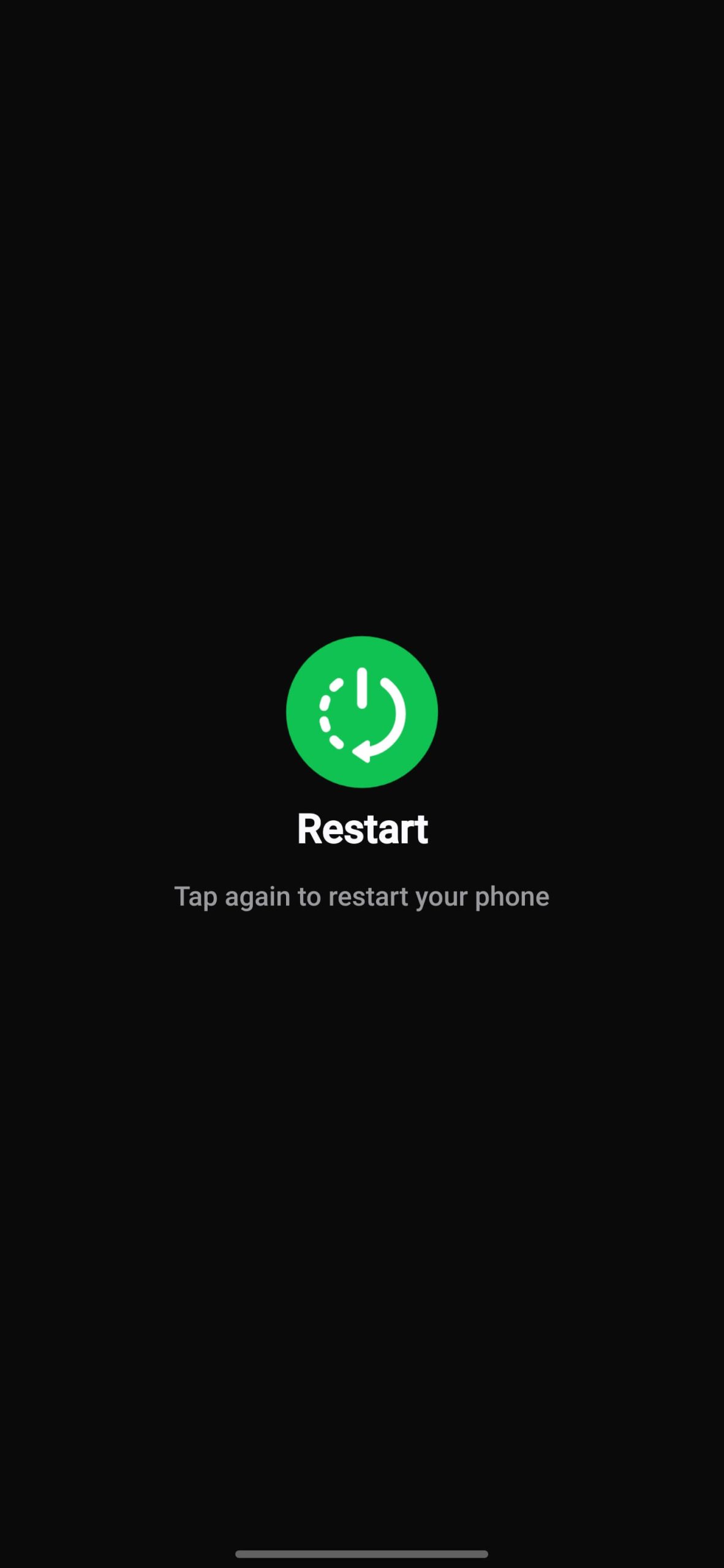
Tap the Restart again to restart your Samsung Fold phone.
2nd Method: Restart Samsung Z Fold 7 using Power Button in Quick Settings Panel
Pull down the notification panel twice form the top of the screen.

Tap the Power button icon beside settings gear icon.
Tap the Restart in the power menu.
Tap Restart to reboot your Samsung Galaxy device.
3rd Method: Restart Z Fold 7 using Side Key (Power Button)
By default launch the Google Gemini when your long-press the side/power button to your latest Samsung devices. You can change the Z Fold 7 side button settings using this.
How to Force Restart Samsung Galaxy Z Fold 7
If your Samsung phone facing crashing apps or freezing, slow down your phone, black screen issue, or any other small bugs, you’ll soft reset the phone to fix small bugs.
To force reboot your Samsung phone, long-press the volume down and side key (Power button) until your phone’s screen goes black (10-15 seconds) and it will automatically restart your phone.
End the list of methods to restart your Samsung Galaxy Z Fold 7. Which method do you use to restart your Samsung device? Please comment in the below box.
Frequently Asked Questions (FAQs):
How do I restart my Galaxy Z Fold 7 normally?
Press and hold the side (Power button) until the power menu appears. Make sure to side button set as power menu to your Samsung phone. Tap Restart, then confirm by tapping Restart again
How can I force-restart (hard reboot) Samsung Z Fold 7 when the screen is frozen?
Press and hold the Volume Down and Power buttons (Side Key) at the same time until the screen goes black and the Samsung logo appears. Release to restart the device.
How do I Reboot into Safe Mode to fix Apps issue?
Hold power and volume Down until the power menu appears. Long-press the Power off until the Safe mode option pops up, then tap on Safe mode icon on the screen.
Is there an auto-restart feature to optimize performance of your Samsung Z Fold 7?
Yes. Samsung’s device care settings allow you to set a schedule to restart your phone automatically when performance issues are detected.