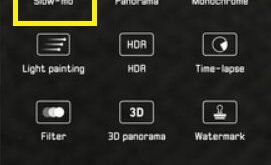
Camera is one of the top best features of Huawei P20 Pro. Huawei P20 Pro has three cameras including 40 MP RGB (f/1.8 aperture), 20 MP Monochrome (f/1.6 aperture) and 8 MP Telephoto (f/2.4 aperture). You can see various shooting modes such as Portrait, Pro, Slow-mo, Monochrome, Night, 3D Panorama, …
Read More »How to hard reset Huawei P20 Pro
Here’s how to hard reset Huawei P20 Pro and P20 EMUI 8.1 devices. This reset Huawei P20 Pro is helpful while your device touch screen unresponsive, black screen, phone won’t turn on, low call volume, unlock Huawei P20 Pro if forgot pattern lock or password and other problems. You can …
Read More »How to fix black screen issue on Huawei P20 Pro
Irritate by Huawei P20 Pro black screen issue? Your phone screen black or won’t turn on after drop down or fully charging. Have you been ever facing this type of problem in your Huawei P20 or other devices? Here are some of the possible solutions to fix black screen issue …
Read More »How to factory reset Huawei P20 Pro
Here’s how to factory reset Huawei P20 Pro and P20 EMUI 8.1. This Huawei P20 Pro factory reset or hard reset will helpful while your phone won’t turn on or black screen or touch screen not working or forgot password or pattern lock and other problems. You can perform Huawei …
Read More »How to Enable Gesture Navigation on Google Pixel 3 and Pixel 3 XL
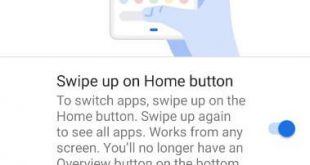
Here’s how to enable gesture navigation on Pixel 3 and Pixel 3 XL devices. When you enable swipe up on the home button gesture, you’re Pixel 3 and Pixel 3 XL navigation bar hidden, and you can see a horizontal line (Pill) on the bottom of the screen. It will …
Read More »How to Enable USB Debugging on Samsung Galaxy Note 9
Want to turn on Samsung Note 9 USB debugging mode? Here’s how to enable USB debugging Note 9 Oreo 8.1. To use USB debugging Note 9, first of all, make sure to turn on Samsung Note 9 developer options in your device. This Samsung USB debugging mode is helpful to …
Read More »