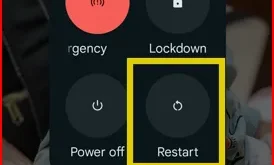
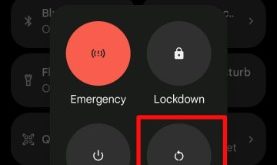
When you reboot/restart your Google Pixel device, it will resolve several issues, including minor glitches, refresh your phone, and improve performance, which in turn speeds up your device. In this tutorial, I’ll explain different ways to restart Google Pixel 10, 10 Pro, 10 Pro XL, and 10 Pro Fold devices. …
Read More »How to Turn Off Google Pixel 10, 10 Pro, 10 Pro XL
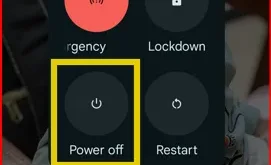
Here’s how to turn off Google Pixel 10, 10 Pro,10 Pro XL, and 10 Pro Fold. When you turn off your Pixel 10 series, it will completely power off or turn off all your Pixel’s functions and systems, unlike simply turning off the screen or putting it in standby mode, which will …
Read More »How to Change App Icons on Pixel 9 Pro XL
By default, set app icons on your Google Pixel 9 Pro XL, Pixel 9 Pro and other Pixel devices. You can change app icons on Pixel 9 Pro XL and Pixel 9 Pro Fold using this tutorial. Using themed icon settings, you can change the home screen app’s icon and …
Read More »How to Turn Off Pixel 9, 9 Pro, 9 Pro XL, 9 Pro Fold
Learn how to turn off Pixel 9, 9 Pro, 9 Pro XL, 9 Pro Fold quickly and easily. Discover different methods to power down your device, including using buttons and software options.
Read More »How to Restart Pixel 9
Do you want to restart your Google Pixel 9 series? Here’s how to restart Pixel 9, Pixel 9 Pro, Pixel 9 Pro XL, Pixel 9 Pro Fold, and other Pixel devices running Android 16. 3 ways to restart Google Pixel 9 series include the power & volume up buttons simultaneously, …
Read More »Google Pixel 8 AI Features
Check out the top best Google Pixel 8 AI features. Google Pixel 8 and Pixel 8 Pro include unique AI features for cameras and wallpapers like Magic Editor, Magic Eraser, Audio Magic Eraser, Best Take, create AI wallpaper, Zoom Enhance (Pixel 8 Pro), etc. Google Pixel 8 Pro is the …
Read More »