Last Updated on August 1, 2025 by Bestusefultips
Do you want to know your Xiaomi or Android device serial number? In this article, I’ll explain three methods to Check Mi serial number (SN). The serial number on your Android device is a unique identifier assigned by the smartphone manufacturer to distinguish your specific phone from all others. It’s different from your phone’s IMEI number, which is used for cellular network identification.
Read More: What is Serial Number 0123456789abcdef?
3 Methods to Find Mi Serial Number or Any Other Android Phone
Check out below-given methods to check serial number on Xiaomi or Redmi devices.
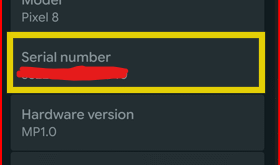
1st Method: Check SN (Serial Number) Using System Settings
Go to Settings on your Xiaomi or Redmi phone.
Tap the About phone.

Tap the Detailed info and specs.

Tap on Status.

Tap the Model.

Tap the Serial Number.
2nd Method: Using Phone Box
Check your phone box and find the label with S/N or serial number besides to barcodes
3rd Method: Using Dial Code
Open your phone dialer and enter *#06# that will display IMEI number of your device, and sometimes appear your Android serial number too.
How Do I Used Serial Number on Android Phone?
You can use your Android phone serial number in different conditions like your phone tracking if lost or stolen, warranty claims, Software compatibility, Proof of ownership when you resale or trade-in.
End the list of methods to check your MI serial number. Which method do you use? Please tell us in the below comment section.